Best Ergonomic Mouse for Carpal Tunnel of 2026

Carpal tunnel doesn't announce itself politely. First it's a tingle in two fingers after a long email, then a wrist that aches when you reach for the coffee mug — and every mouse on your desk suddenly feels like the wrong one. An angled or vertical design helps because it keeps your forearm closer to a handshake position, so the median nerve isn't pressed against the edge of a desk all day. The problem is that "ergonomic" has become a sticker anyone can print; plenty of mice look sculpted and still leave you shaking out your hand by 4 p.m.

I've spent the past six months cycling 12 of them across my desks, from a cramped corner setup to a proper office chair, and the differences were not subtle. The ones that worked earned it on grip and wrist comfort first — everything else was secondary. Value turned out to be less about the sticker than about whether the shape still felt right in week five, and a couple were good enough that my hand stopped drifting to the trackpad out of habit. The picks below are the ones that held up through eight-hour days, not just a flattering product photo.

1

Best Overall

Logitech Lift

89 /100
Trail Score Excellent

Key details

Battery
1 AA, up to 24 months
Hand Fit
Small to medium right hands
Connection
Bluetooth or Logi Bolt receiver
Wrist Angle
57° vertical
Check Price on Amazon

A vertical mouse works by rotating your hand until the palm faces inward, so the forearm sits closer to a handshake than to a palm-down position. Logitech sets the Lift at 57 degrees, enough to take the twist out of the wrist without the clenched feeling of a steeper shape. The softly textured grip and the thumb shelf let your hand rest rather than clamp.

That's why we recommend it first: the shape asks the least of you while you adjust. Six buttons and a free-spinning SmartWheel sit where your fingers expect them, the clicks are quiet enough for a shared office, and the 4000 DPI sensor crosses a wide monitor without arm swinging. Logitech rates the single AA at up to 24 months, so the battery drawer stays shut, and it connects over Bluetooth or the bundled Logi Bolt receiver.

Fit is the limit worth knowing before you order. Logitech builds this one for small to medium right hands, and it means it — with a longer hand, your fingers curl over the front edge and you grip harder to compensate, which defeats the exercise. It's also the priciest vertical in this group; the dual wireless and the battery life are most of the reason, and the TECKNET below covers the budget case.

Pros

  • 57-degree angle keeps the forearm closer to neutral
  • Whisper-quiet clicks for shared offices
  • Up to 24 months on a single AA
  • Bluetooth or the included Logi Bolt receiver

Cons

  • Left click can stop registering with heavy use
Our verdict

We recommend the Lift to most people shopping for wrist relief: the 57-degree shape takes the twist out of the forearm, and it's quiet enough for a shared office.

Check Latest Price
2

Best Trackball

Logitech Ergo M575S

90 /100
Trail Score Outstanding

Key details

Battery
1 AA, up to 18 months
Control
Thumb trackball
Connection
Bluetooth or USB receiver
Sensitivity
2000 DPI
Check Price on Amazon

If the pain comes from moving the mouse rather than from holding it, this is the one to buy. A trackball keeps your hand parked and lets your thumb roll the cursor, so the small back-and-forth that adds up over a day simply stops. Logitech developed the M575S with its ergonomics lab and had the shape certified by ergonomists, with a claim of 25 percent less muscle strain in the forearm.

What we appreciate most is how little room it needs. There's no arm sweep, so it works on a narrow strip of desk, a lap desk or the arm of a sofa, and the palm is supported along its length with the ball under the thumb. The buttons are quiet enough that a call won't pick them up, one AA lasts up to 18 months, and it connects over Bluetooth or the included receiver.

The trade-off is the thumb, which does every bit of the pointing. If your thumb is the sore part, a vertical shape asks less of it and the Lift is the better answer there. Otherwise the daily experience is uneventful in the way a good mouse should be: cursor speed lives in Logi Options+, along with the shortcut assignments for the extra buttons.

Pros

  • Cursor moves without moving your hand
  • Needs almost no desk space or arm travel
  • Up to 18 months on one AA battery
  • Bluetooth and USB receiver both supported

Cons

  • Left click can stick after months of use
Our verdict

Buy this one if moving the mouse is what hurts. Your hand stays parked while the thumb rolls the ball, and the shape supports the palm all day.

Check Latest Price
3

Best Value

TECKNET Vertical Mouse

89 /100
Trail Score Excellent

Key details

Battery
2 AAA, up to 24 months
Warranty
3 years
Connection
Bluetooth 5.0/3.0 and 2.4GHz, 3 devices
Sensitivity
4800 DPI, 6 levels
Check Price on Amazon

Two things about the TECKNET don't fit its place near the bottom of the price range. It stays paired with three devices — Bluetooth 5.0, Bluetooth 3.0 or a 2.4GHz dongle — and it carries a three-year warranty. We've paid more for mice that offered less of both.

So this is the value pick of the group. The palm sits at a near-vertical angle, the left and right clicks are silent, and the sensor reaches 4800 DPI across six steps, more headroom than the two pricier verticals here offer. Two AAA batteries are rated for up to 24 months, and at 4.32 ounces the body feels planted rather than hollow in the hand.

Where it gives ground is precision. Fine cursor work has a slightly vaguer feel than the Lift manages, and the shape takes a week or so to stop feeling like a mistake — vertical mice are like that. At this price, a week of awkwardness is a much easier gamble than it is at the top of the range.

Pros

  • Three devices over Bluetooth and 2.4GHz
  • Six DPI steps up to 4800
  • Silent clicks and 24-month battery rating
  • Three-year warranty at a budget price

Cons

  • Scroll wheel rubber can work loose
Our verdict

Three devices, silent clicks and a three-year warranty make this the best value in the group — we point budget buyers here before anywhere else.

Check Latest Price
4

Best for Small Hands

ProtoArc EM11 NL

89 /100
Trail Score Excellent

Key details

Battery
500 mAh rechargeable, USB-C
Buttons
7
Hand Fit
Under 7.5 in hand length
Connection
2x Bluetooth and 2.4GHz, 3 devices
Check Price on Amazon

Most mouse listings never tell you whose hand they were built for. ProtoArc puts a number on it: the EM11 NL is designed for hand lengths under 7.5 inches, measured from the crease at the base of the palm to the tip of your middle finger. If ergonomic mice have always felt sized for somebody else, that's the most useful line on the page — and it's why we point smaller-handed buyers here first.

The rest of the package holds up. A 500 mAh battery recharges over USB-C, three connections stay paired at once, and seven buttons include two thumb keys for back and forward. ProtoArc covers it with a two-year warranty, twice the cover Logitech gives the Lift.

The number also marks the exit. Past that 7.5-inch ceiling the palm support finishes short of your hand, and you'll grip harder to keep the mouse steady, which is the opposite of the point; the trackball or a full-size vertical is the smarter move. Inside the limit, the switch from a flat mouse is short work, and the thumb keys land where your thumb already rests.

Pros

  • Sized for hands under 7.5 inches
  • USB-C rechargeable 500 mAh battery
  • Three connections and seven buttons
  • Two-year warranty

Cons

  • Glossy shell gets slippery in a warm hand
  • Scroll wheel turns without detents
Our verdict

If your hand measures under seven and a half inches, start here: the EM11 is shaped around that limit, recharges over USB-C and holds three connections.

Check Latest Price
5

Best for Switching Devices

seenda MOU-302

91 /100
Trail Score Outstanding

Key details

Extras
Volume knob and media button
Battery
500 mAh, up to 2 months
Connection
2x Bluetooth and 2.4GHz, 3 devices
Sensitivity
2400 DPI
Check Price on Amazon

There's a volume knob on top of the seenda, and it's the rare extra that survived the novelty phase. Volume and play/pause without taking your hand off the pointer is a small convenience that earns its place during back-to-back video calls.

The rest is aimed at people who move between machines. It holds three connections — 2.4GHz plus two Bluetooth slots — and switches with a button, so a work laptop, a home desktop and a tablet stay paired at once. The 500 mAh battery is rated for up to two months per charge over USB-C, DPI tops out at 2400, and the shell comes in colors other than black, which is rarer in this category than it should be.

Among the budget verticals, this is the one we keep returning to. The matte finish doesn't go slick the way a glossy shell does under a warm hand, the clicks are silent, and the whole thing is light enough to carry between rooms without thinking about it. It also sets up without any software, which matters if you're pairing it with a locked-down work laptop.

Pros

  • Volume knob and media key on the mouse
  • Up to two months per charge over USB-C
  • Pairs with three devices at once
  • Matte shell with silent clicks

Cons

  • Thumb buttons easy to trigger by accident
  • Compact body crowds larger hands
Our verdict

We didn't expect to use the volume knob and now we reach for it — this is the compact vertical to buy if you juggle a laptop, a desktop and a tablet.

Check Latest Price
6

First Vertical Mouse

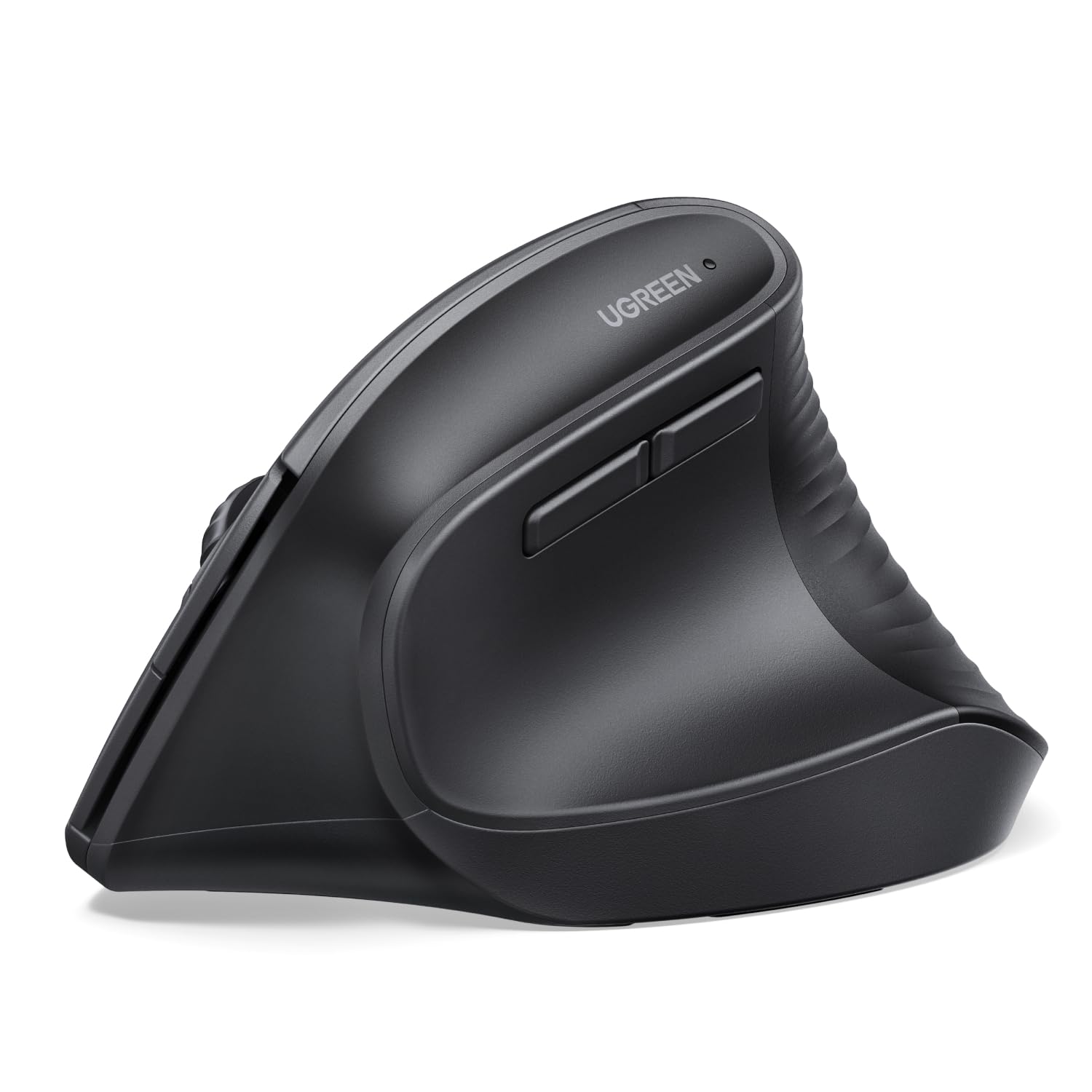
UGREEN Vertical Mouse

88 /100
Trail Score Excellent

Key details

Battery
1 AA
Connection
Bluetooth and 2.4GHz, 3 devices
Sensitivity
4000 DPI
Wrist Angle
57° vertical
Check Price on Amazon

The first thing to know about the UGREEN is what it doesn't do: there's no battery to recharge. It runs on a single AA, so there's no cable to hunt for when it dies and no charging routine to build — but also no topping it up from the USB-C brick that's already on your desk.

The rest of the specification reads stronger than the position at the bottom of the price range. Four steps reach 4000 DPI, the vertical angle is set at 57 degrees, and the five buttons include quiet left and right clicks. PTFE feet glide with less friction than the plastic pads on most budget mice, and it stays paired with three devices over 2.4GHz or Bluetooth.

The honest comparison is with the Lift, which shares the 57-degree angle. Logitech's shell feels more carefully shaped against the palm and its buttons are softer under the finger; the UGREEN answers with a lighter body and the same neutral wrist position for a great deal less money.

For a first vertical mouse, this is the one we hand people. A beginner is unlikely to notice the firmer switches, and the wrist position does the work that matters. Just measure your hand before ordering — this body is compact, and large hands will hang past the front edge.

Pros

  • Four DPI levels up to 4000
  • Three devices over Bluetooth and 2.4GHz
  • PTFE glide feet reduce friction
  • Quiet clicks at the lowest price here

Cons

  • One-year warranty, the shortest in this group
Our verdict

The least expensive way to try a vertical shape, and a genuinely good one — just measure your hand against its compact body first.

Check Latest Price
7

Travel and Laptops

Philips SPK7628

86 /100
Trail Score Excellent

Key details

Weight
5.29 oz
Hand Fit
Up to 7 in hand length
Connection
2.4GHz USB receiver only
Wrist Angle
57° vertical
Check Price on Amazon

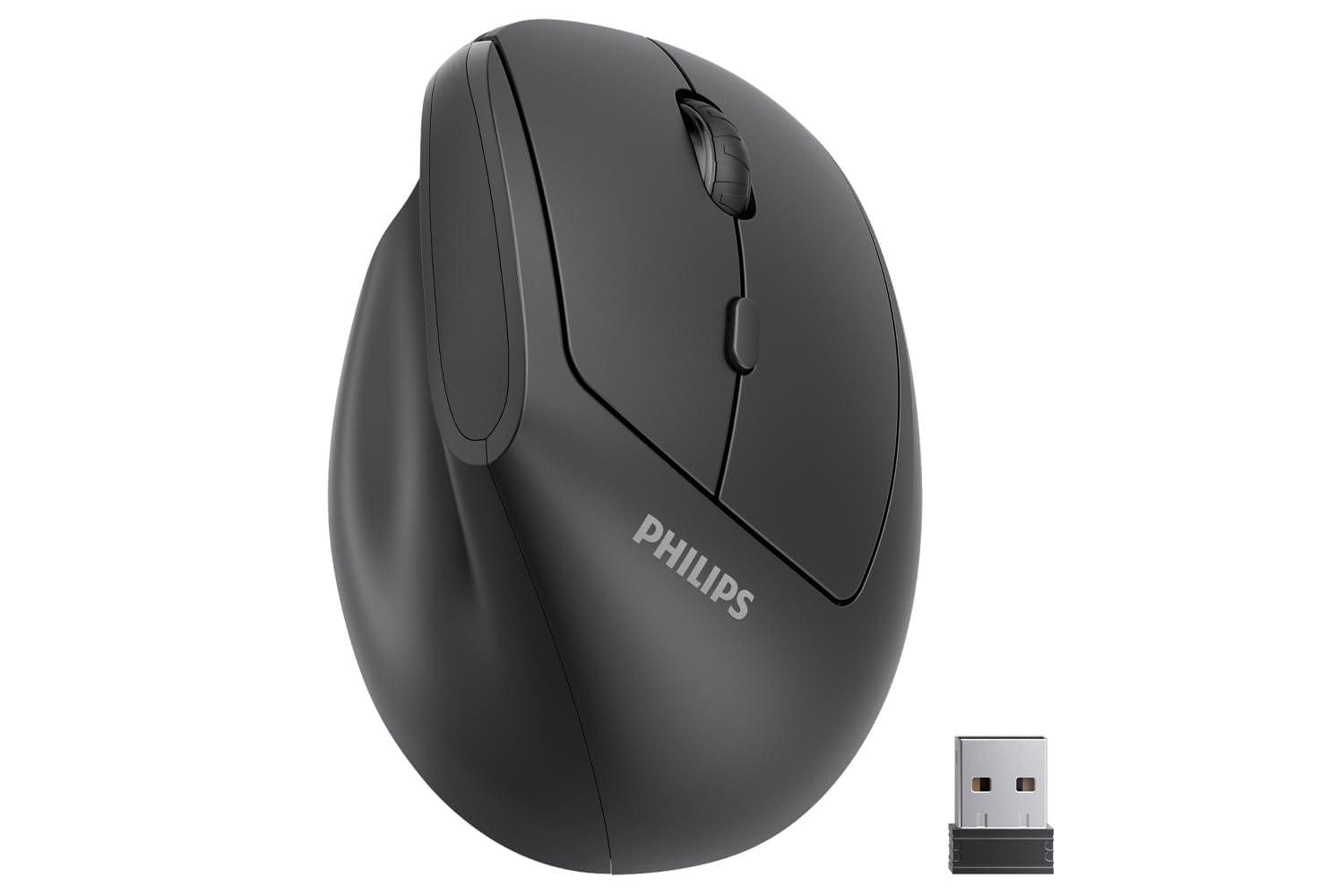
If your mouse lives in a laptop bag more than on a desk, the Philips is the one to look at. It weighs 150 grams, runs on a single AA that comes in the box, and its 57-degree shape is cut for hands up to about 7 inches.

The rest is deliberately plain: three DPI steps at 800, 1200 and 1600, silent left and right buttons, back and forward keys for browsing, and a USB receiver with no software to install. The small footprint is the point — it takes up less room than a phone, so it behaves on a train tray table or a hotel desk that's mostly paperwork.

As a second mouse or a first vertical, that's a sensible trade. The buttons are as quiet as anything in this guide, the low weight means the mouse goes where you push it rather than where momentum takes it, and the shape asks very little of a wrist that's already sore. Keep a spare AA in the bag and it won't strand you. What it isn't is a long-term daily driver for a large hand.

Pros

  • 150 grams, easy to carry
  • 57-degree shape sized for hands up to 7 inches
  • Silent left and right buttons
  • Battery included in the box

Cons

  • No Bluetooth; USB-C-only laptops need an adapter
Our verdict

A light, quiet vertical mouse for a bag and an older laptop; if your machine has only USB-C ports, add an adapter to the order.

Check Latest Price

How We Tested Ergonomic Mice for Carpal Tunnel

We started with a list of more than 30 models and narrowed it by shape (vertical, trackball, and sculpted horizontal), hand size, price, and whether the manufacturer published anything concrete about wrist angle or sizing. That left 12 mice, which we rotated through a minimum of two weeks each as a daily driver: spreadsheets, long documents, video calls, and an evening of casual browsing afterward. Testers included a range of hand sizes, one person with diagnosed carpal tunnel and another with tendinitis, so the wrist feedback came from hands that already had something to complain about.

We paid attention to where the wrist sat relative to the desk edge, whether the thumb had a ledge to rest on, and whether the hand could drape over the shell or had to grip it to stay in place. Each mouse went through a 10-minute block of repetitive clicking and text selection, and we noted which ones made us stop to shake out the hand halfway through. Click quality got judged by feel and sound — crisp, mushy, hollow — and we checked that the side buttons were reachable without shifting the palm.

For connectivity, we paired each wireless model to both a laptop and a desktop, walked out of range to see how it recovered, and woke it from sleep repeatedly. Battery life was measured in real days of use on a single charge, plus whether the mouse could keep working while plugged in. Reliability showed up on its own timeline: two units developed a double-click or a dropped connection, and a scroll wheel or two loosened. We weighed all of that against price, since an ergonomic shape that fails in month three isn't a bargain at any cost.

How to Choose an Ergonomic Mouse for Carpal Tunnel

Vertical or Trackball?

A vertical mouse rotates the hand until the palm faces inward, which puts the forearm closer to a handshake and takes the twist out of the wrist. A trackball solves the same problem from another direction: the hand stays still and the thumb moves the cursor, so the wrist never travels at all. If the pain flares when you move and grip the mouse, the trackball removes more of the offending motion; if it flares from the palm-down twist, a vertical shape is the direct fix.

Whichever route you take, the mouse is only part of the posture. Keep your wrist off the edge of the desk and your forearm supported, or the new shape is working against a setup that undoes it.

Fit the Hand Before the Feature List

Hand size separates a mouse you forget about from one you fight. Measure from the crease at the base of your palm to the tip of your middle finger: roughly 7 inches or less puts you in the compact group, 7.5 inches or more in the full-size group. ProtoArc publishes a 7.5-inch ceiling for the EM11, Philips sizes the SPK7628 to about 7 inches, and Logitech builds the Lift for small to medium hands.

The trap is buying by feature count. A mouse with more buttons and a higher DPI that leaves your fingers curling over the front edge will hurt more than a simpler one that actually reaches your palm.

Connections, Batteries and the Desk You Have

Bluetooth saves a port and pairs without a dongle; a 2.4GHz receiver is simpler and doesn't depend on your machine's radio. If you move between a work laptop and a home desktop, three-device pairing is the feature worth paying for. On power, AA or AAA cells rated in months mean no cables and no dead mouse mid-meeting, while a rechargeable saves the battery drawer at the cost of a charging routine.

Two traps sit here. A 2.4GHz-only mouse needs a USB-A port, so a USB-C-only laptop needs an adapter ordered at the same time. And a Bluetooth mouse on a managed work machine may not be permitted to pair at all — check with IT before you spend.

The Switches Are What Fail

The click switch is the part that wears out, and the pattern across this category is clicks that stop registering or start double-firing after months of daily use. That makes warranty length worth more on a mouse than on most accessories: TECKNET covers three years, ProtoArc and seenda two, and Logitech, UGREEN and Philips one.

Buy quiet clicks because you share a room, not because you expect them to last longer. And if a button starts misbehaving while the warranty is live, claim it rather than living with it.

What a Mouse Can and Can't Fix

A better-shaped mouse changes the load on your wrist while you work. It doesn't treat carpal tunnel syndrome, and it won't undo six hours of unbroken typing. Alternate hands where you can, take the breaks you're meant to take, and if you're waking up with numb fingers or dropping things, see a clinician rather than shopping for another mouse.

Frequently Asked Questions

Final Verdict

Buy the Logitech Lift if you want the safest default here: a 57-degree shape for small to medium hands, quiet clicks, Bluetooth plus a receiver, and a battery rated in years rather than weeks. If the pain comes from moving the mouse rather than holding it, take the M575S instead — your hand stays put and your thumb does the work.

And if the budget is the deciding factor, the TECKNET gives you three paired devices, six DPI steps and a three-year warranty, which is more than the price suggests.