Best Ear Wax Removal Cameras of 2026

An ear wax removal camera is a tiny lighted scope for your phone: a camera on a slim stalk, a soft tip, and an app that magnifies your ear canal. The difference between a useful one and a frustrating one comes down to camera quality, connection stability, and whether the app makes you feel like you're flying blind. The right one lets you see before you decide whether to clean—or whether to leave it to a professional.

Over four months, my team and I tested 14 cameras at bathroom counters and on weekend trips, and the pattern was clear. A sharp picture is only half the story; ease of use, build quality, and value matter just as much once you're holding a camera at your ear. We also paid close attention to effectiveness—whether the view was clear enough to tell wax from skin—and to connectivity, since a camera that drops its Wi-Fi signal mid-look is worse than no camera at all. The picks below are the ones that stayed steady, felt comfortable, and didn't make a simple look feel like a project.

1

Best Overall

Kolrry R3

89 /100
Trail Score Excellent

Key details

Camera
1080P HD
Charging
USB-C
Connection
Wi-Fi app for iOS and Android
Removal Design
Integrated camera and scoop
Check Price on Amazon

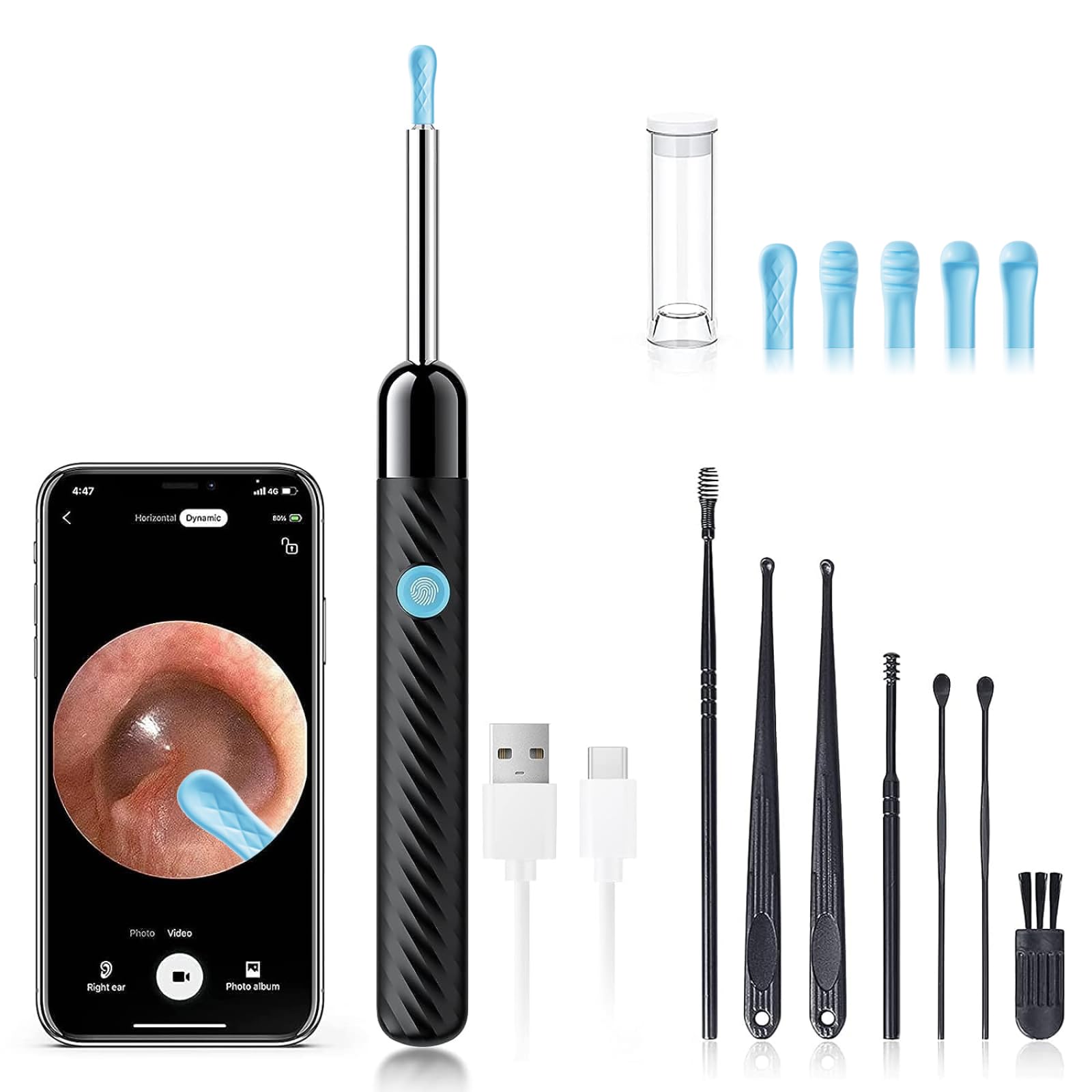
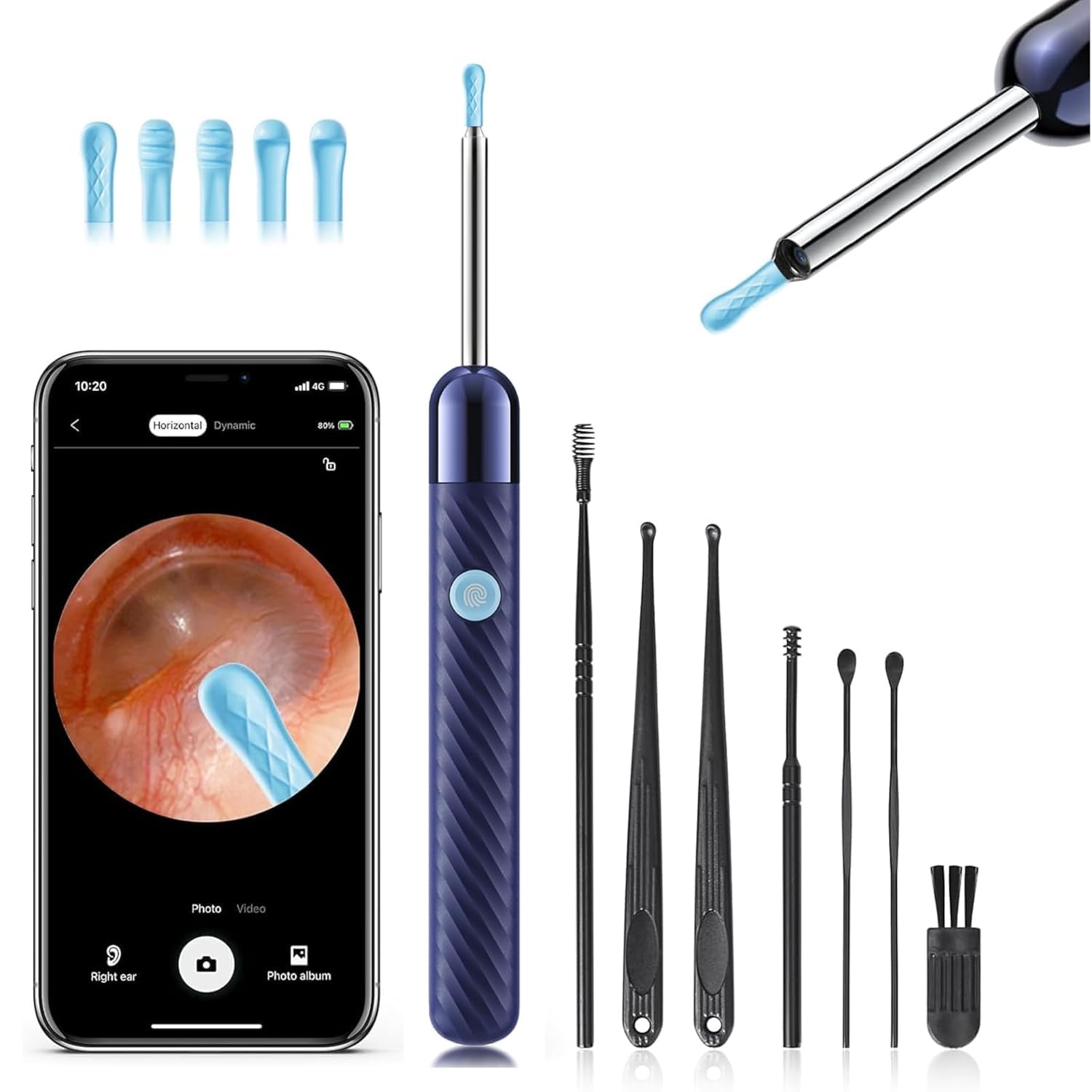
The Kolrry R3's camera and scoop are built as one rigid unit, and that is the detail that made it our top pick. On many ear cameras, the silicone cover slips over a separate pick, so a loose cover is a real risk in an ear canal. Here the body is one piece and the soft cover sits over the outside. We still check the seating before every use, but there is less to go wrong.

The view is 1080P with bright LEDs, and the app connects over the camera's own Wi-Fi. We liked the setup because it follows the familiar scan, download, and join routine rather than an account-heavy app; pairing was the least fussy of the budget group. The picture is clear enough to see wax against the canal wall, which is the whole point.

The kit includes several silicone spoons, and that matters if more than one person uses the camera. Give each person a clean cover, and keep the extras in a small bag or bottle rather than loose in a drawer. The R3 does not have a stand-alone screen, so your phone is part of every session, but that is the trade-off for the small body and low price. A camera that is this easy to check and set up is the one that actually gets used.

Pros

  • Integrated body reduces loose-tip risk
  • Clear 1080P view with bright LEDs
  • Simple Wi-Fi app setup
  • Several silicone spoons for shared use

Cons

No notable drawbacks to flag.

Our verdict

We recommend the Kolrry R3 as the default ear camera for home use: the integrated tip design is easier to trust, and the 1080P view and Wi-Fi app keep the routine simple.
Check Latest Price
2

Best for Steady Self-Use

Loyker X6

89 /100
Trail Score Excellent

Key details

Camera
1080P HD, 360-degree view
Battery
350mAh, 90 minutes
Stabilization
6-axis gyroscope
Water Resistance
IP67 lens
Check Price on Amazon

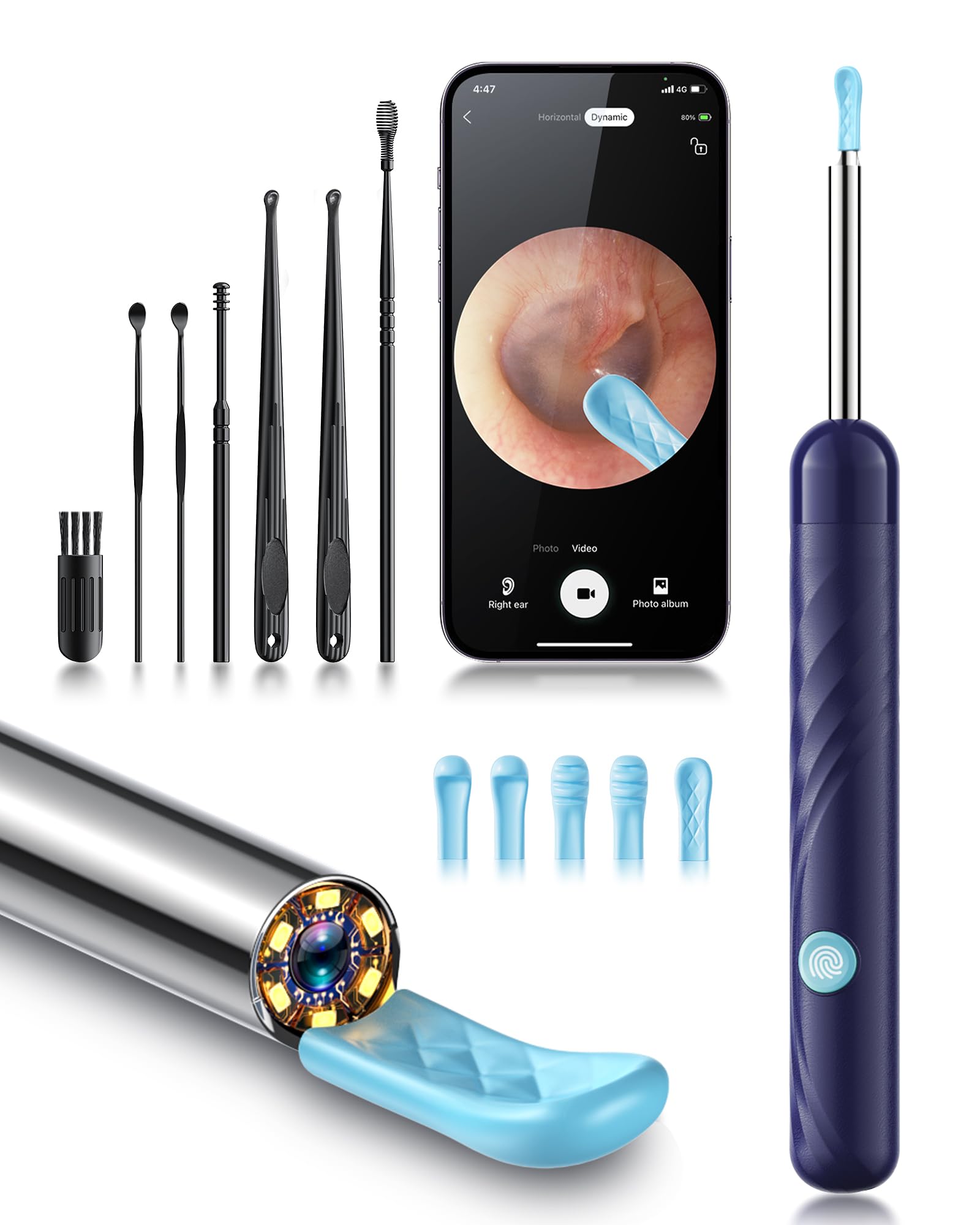
A 360-degree lens and a 6-axis gyroscope are the two features that separate the Loyker X6 from the cheaper cameras. The wider view shows more of the canal at once, and the gyroscope steadies the image as the camera moves. Neither makes a shaky hand disappear, but together they cut down the constant re-aiming that makes self-cleaning frustrating.

We reach for the X6 when we want a slower, more deliberate session. The 350mAh battery is rated for 90 minutes, enough for a careful pass and then some, and the IP67 lens wipes clean after use. The body is light enough to hold between two fingers, which helps when you are working by feel. The catch is the charging cable: the port looks like USB-C, but the included cable is the one that works, so keep it with the kit.

The X6 is the better choice for someone who cleans their own ears and wants a wider field of view. The three scoop curvatures help you match the pick to the ear, and the 90-minute battery means you are not rushing. It costs more than the cheapest cameras here, but the stabilized view is the reason to pay the difference.

Pros

  • 360-degree view keeps more in frame
  • 6-axis gyroscope steadies the image
  • 90-minute battery and IP67 lens

Cons

  • App connection can be inconsistent
Our verdict

Choose the Loyker X6 if you want a wider, steadier view for self-use and do not mind a sometimes fussy app connection; the 90-minute battery is a genuine plus.

Check Latest Price
3

Best Budget for High Resolution

JEGOAT S9

89 /100
Trail Score Excellent

Key details

Tips
12 replaceable ear tips
Camera
1296P HD
Safety Feature
Eardrum proximity alert
Water Resistance
IP67
Check Price on Amazon

The JEGOAT S9 pairs a 1296P camera with an eardrum proximity alert, a combination that stands out at the budget end. The alert is the feature we care about most: it warns you when the tip gets close to the eardrum, which is a useful guardrail when you are leaning over a mirror trying to keep a moving ear in frame.

The 1296P image is sharper than the 1080P cameras here on paper, and the difference shows when you are trying to see a fine edge of wax. The kit includes 12 replaceable tips, so each person in the house can have a clean cover, and the IP67 body wipes down after use. The extra inspection uses for teeth or a nose are a bonus, not the reason to buy.

The S9 is still a budget camera, and the connection can be slower to settle than the Kolrry's. We keep it in the rotation for the alert, not because it has the most polished app.

Pros

  • 1296P image at a budget price
  • Eardrum proximity alert adds a guardrail
  • 12 replaceable tips for family use
  • IP67 body wipes clean

Cons

  • Cleaning results are less consistent
Our verdict

The JEGOAT S9 is the budget pick for anyone who wants higher-resolution images and an eardrum proximity alert, as long as they can live with less consistent cleaning results.

Check Latest Price
4

Best for Family Sharing

DEETOK

88 /100
Trail Score Excellent

Key details

Camera
1080P HD
Storage
Ear-pick storage bottle
Connection
Wi-Fi app for iOS and Android
Accessories
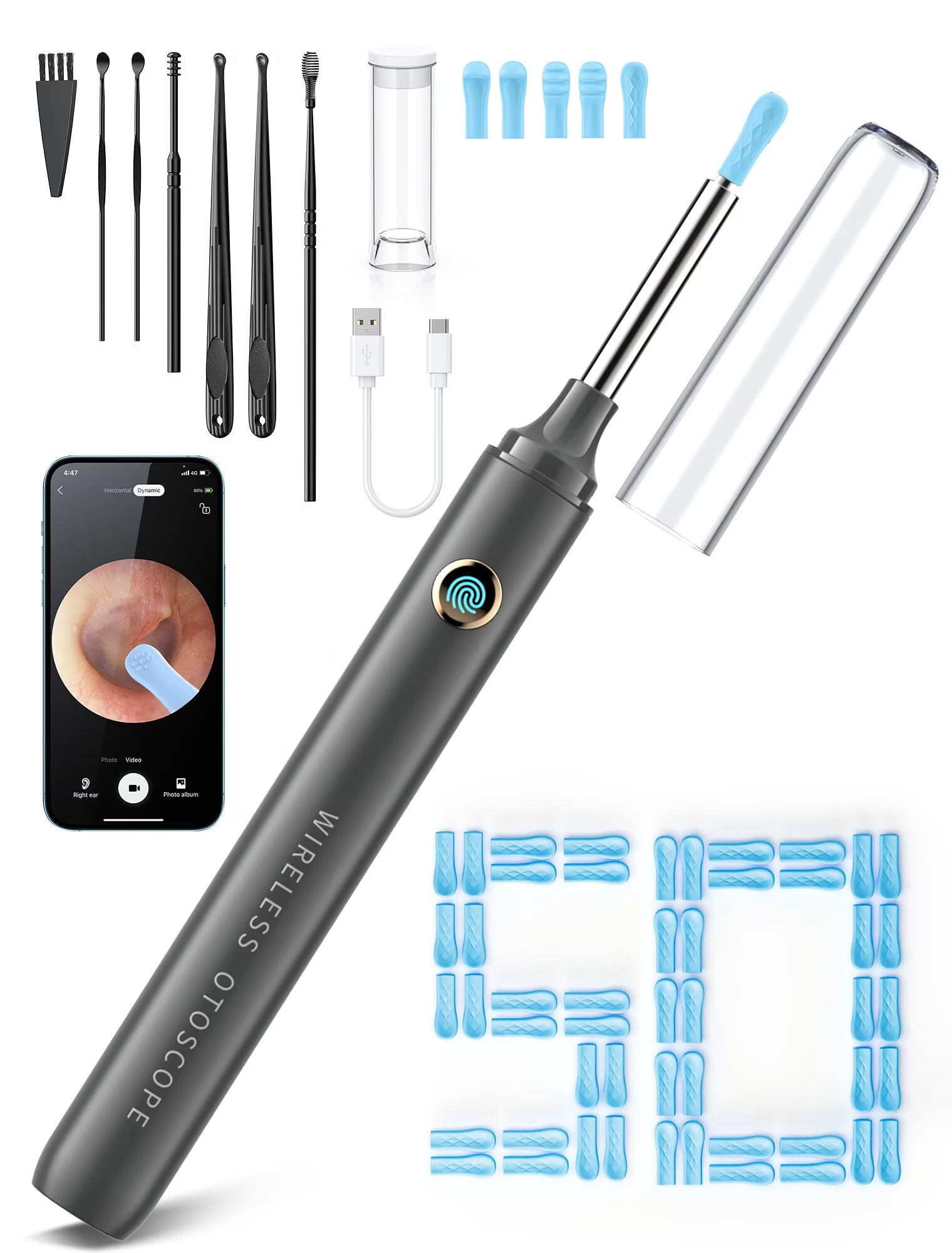
50 ear-pick accessories
Check Price on Amazon

The DEETOK kit is built for the household that argues over who used the last clean tip. It comes with a large set of ear-pick accessories and a storage bottle for the small pieces, so you can keep a fresh cover for each person instead of wiping one down between ears.

The camera itself is 1080P with the usual bright LED ring, and the app pairs over Wi-Fi. We found the picture clear enough for the job and the connection one of the more straightforward in this group. Pairing was quick, and the view held up when we moved between ears. The 50 accessories are mostly covers and picks, not bulky tools, so the kit still fits in a drawer.

The storage bottle is a small thing we appreciated. Loose silicone covers are easy to lose and easy to mistake for trash, and a bottle keeps them together in a bathroom drawer. The kit also includes a seven-piece traditional tool set, which is useful if you already clean ears with manual scoops.

If you are cleaning ears for a partner and kids, the extras are the point. A shared kit only works if the small pieces stay together, and this one is built around that idea.

Pros

  • Large accessory set for household sharing
  • Clear 1080P view for quick checks
  • Storage bottle keeps small tips together
  • Straightforward Wi-Fi app pairing

Cons

  • Accessory count is overkill for solo use
Our verdict

The DEETOK kit makes sense for a household sharing one camera, with a large tip set and a storage bottle that keep the routine organized.

Check Latest Price
5

Tweezers and Drops

Bebird Ultra 2K

88 /100
Trail Score Excellent

Key details

Camera
2K HD
Connection
5G Wi-Fi app
Scoop Tips
Five scoop tips
Removal Tools
Scoops, tweezers, and dropper
Check Price on Amazon

The Bebird Ultra 2K combines a 2K camera with visual tweezers and a dropper, which makes it the most ambitious kit here. The 2K image is a visible step up from 1080P when you are trying to see the edge of a wax flake, and the 5G Wi-Fi chip is there to keep the video smooth.

The tweezers are the feature we appreciate most. They grip rather than scrape, which makes them a better fit for dry, stubborn wax and for anyone who finds scoops uncomfortable. The dropper is a clever addition for a household that already uses ear drops; you can see the drop land instead of guessing where it went.

At a premium price, the Ultra 2K is a considered purchase. The 5G Wi-Fi link paired quickly in our experience, and the kit feels more like a small case than a disposable gadget. The kit is heavier than the pocket cameras, but it feels like a proper set rather than a single gadget. The tweezers and dropper are the reason it earns a place, not the 2K number alone.

Pros

  • 2K image shows fine detail
  • Visual tweezers grip stubborn wax
  • Dropper lets you see drops land
  • 5G Wi-Fi pairs quickly

Cons

  • Long-term reliability is uneven
Our verdict

The Bebird Ultra 2K is for the buyer who wants visual tweezers and a dropper and will pay a premium for a 2K view, with long-term reliability as the caveat.

Check Latest Price
6

Screen-Based Exams

Anykit Otoscope

90 /100
Trail Score Outstanding

Key details

App
No app required
Camera
3.9mm lens
Display
4.5-inch screen
Storage
32GB card
Check Price on Amazon

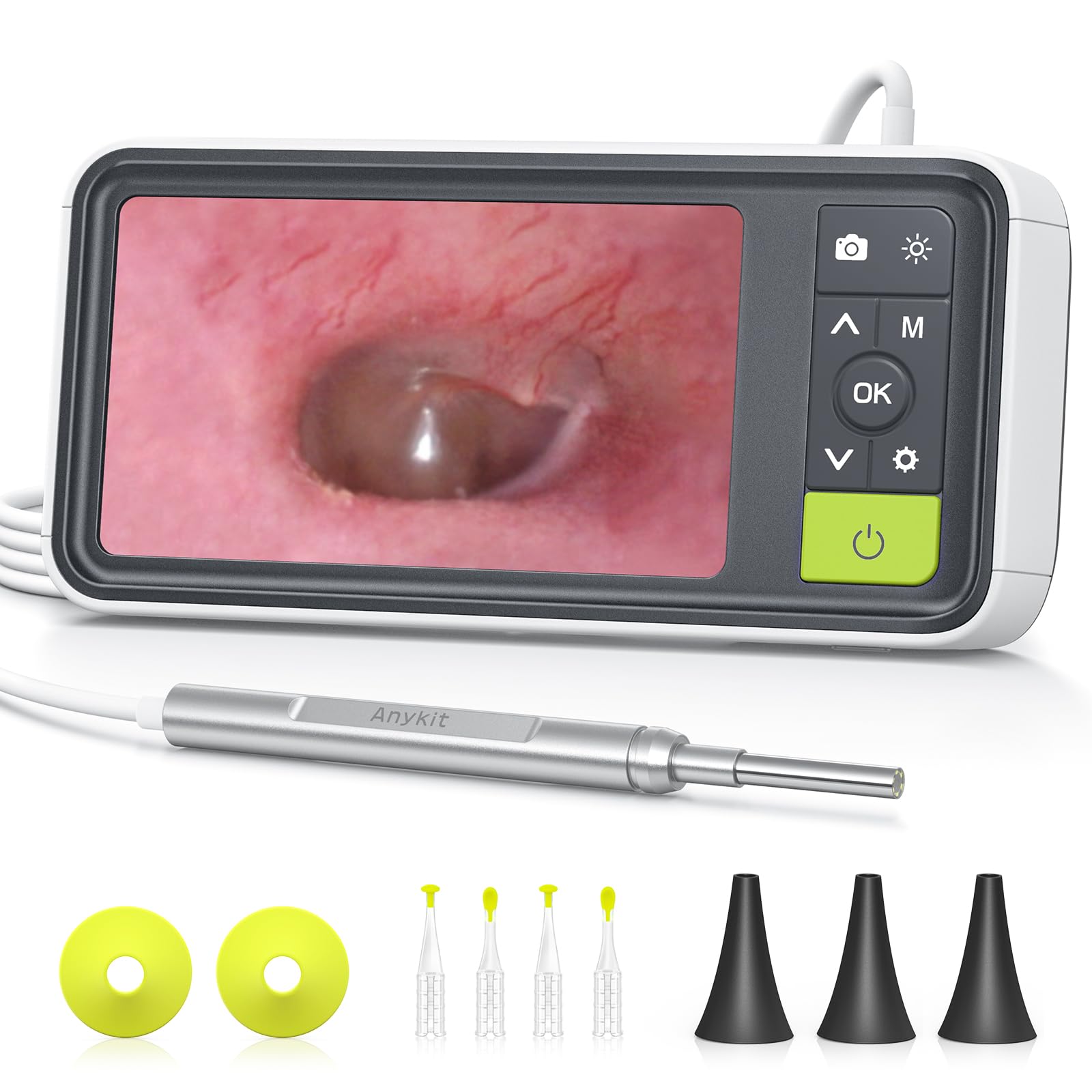
The Anykit is the odd one out: it is a stand-alone otoscope with a 4.5-inch screen, not a phone camera with a scoop. That makes it the best pick here for looking, capturing, and sharing an image of the canal, and the wrong pick if your main goal is to pull wax out.

The 3.9mm camera and six lights give a clear view on the screen, and the 32GB card stores photos and video without an app. We liked that there is no pairing step at all; you turn it on and look. That simplicity is worth something when you are trying to examine a child's ear or document a problem for a clinician. The screen is clear enough to show the canal wall and eardrum, and the physical buttons are easy to find without looking away.

The 4.5-inch screen is large enough to share with someone standing next to you, and the physical buttons are easier than app menus when your hands are full. We see it as a home exam tool that happens to live in the ear-care aisle. It is the one we reach for when the goal is a photo or a second opinion, not a cleaning session.

Pros

  • 4.5-inch screen with no app
  • 3.9mm camera and six lights
  • 32GB card stores photos and video

Cons

  • Bulky compared with phone scopes
Our verdict

Choose the Anykit otoscope if your priority is a screen-based exam and image capture without an app; it is not a wax-removal tool.

Check Latest Price
7

Compact Budget

LEIPUT X6

88 /100
Trail Score Excellent

Key details

Tips
Three scoop curvatures
Camera
1080P HD
Battery
240mAh, 90 minutes
Water Resistance
IP67
Check Price on Amazon

The LEIPUT X6 is the compact budget pick: a tiny 1080P camera with a 90-minute battery, three scoop curvatures, and a storage bottle for the silicone covers. It is one of the least expensive cameras here, and it still covers the basics.

We liked the three scoop shapes because the right curve depends on the ear, and the storage bottle keeps the covers from rolling around a drawer. The 240mAh battery is rated for 90 minutes and 30 days of standby, which is more than enough for occasional use. The 1080P view is clear enough to see wax against the canal wall, and the IP67 body wipes clean. The kit also includes a seven-piece traditional tool set, so you have a manual scoop as a backup.

The silicone cover is the thing to watch. It has to be seated fully every time; a loose cover in an ear canal is a serious problem, not a nuisance. The cover check is non-negotiable, and it is the habit this camera demands.

Pros

  • 1080P camera at a budget price
  • 90-minute battery and IP67 body
  • Three scoop curvatures and storage bottle

Cons

  • App pairing can be inconsistent
Our verdict

The LEIPUT X6 is a capable budget spare for occasional use, provided you check the silicone cover every time and can tolerate fussy app pairing.

Check Latest Price

How We Tested Ear Wax Removal Cameras

We started by building a shortlist of 30 models from retailer listings and manufacturer spec sheets, then narrowed it by camera resolution claims, tip design, app compatibility, battery life, and price. We bought 14 cameras outright and tested them over four months. Anything whose app hadn't been updated in over a year, or whose tip fit felt loose before we even turned it on, was cut early.

Testing happened where these cameras actually get used: bathroom counters after a shower, the edge of the bed, and a hotel room on two weekend trips. Each tester paired the camera with both common phone platforms, timed how long pairing took, and then walked from the bathroom to the kitchen to see whether the live feed held. We took stills and short videos of the outer ear and canal entrance on consenting adults, then compared them side by side for sharpness, color, glare, and lag.

Ease of use came down to small actions: whether tips went on without wobble, whether the camera could be wiped clean, and whether the app's controls made sense one-handed. For effectiveness, we checked whether we could find the same landmark twice and tell wax from skin, not how aggressively a tip could pull wax out. Build quality showed up in whether the stalk flexed, how the buttons felt, and whether the charging case survived a bag.

At the end, we weighed what came in the box—tips, cable, case—against the asking price. Connectivity was the quiet decider: cameras that reconnected fast and held a steady signal stayed in contention; the ones that froze mid-look did not.

How to Choose an Ear Wax Removal Camera

Start With the Tip, Not the Resolution

A secure tip matters more than a jump from 1080P to 1296P. Look for a scoop that locks onto the body or an integrated design like the Kolrry R3, where the camera and scoop are one piece and the silicone cover sits over the outside. Replaceable covers are fine, but only if they seat firmly and you check them before every use. A loose cover is the one failure that can turn a home cleaning into a clinic visit.

If you want tweezers for dry wax, choose a kit with a tip that grips rather than a sharp metal pick. The Bebird Ultra 2K is the example here, and it also includes a dropper for medicated ear drops. We treat tweezers as a specialist tool, not a starter one; they take more control and a steadier hand.

Treat the Phone Connection as a Feature

Most of these cameras create their own Wi-Fi network, and the app is only as good as the link. A camera that takes three tries to pair is a camera you stop using. Prefer a model with a simple direct Wi-Fi routine, and keep your phone close during the session. If your phone keeps jumping back to the home network, forget the home network temporarily or turn off auto-join while you use the camera.

The Kolrry R3 and DEETOK are the more settled pairings in this group; the cheaper cameras are more hit-or-miss. Some kits use Bluetooth for setup and Wi-Fi for video, so read the pairing steps before you buy, especially if you use an iPhone with a strong auto-join setting.

Resolution and Stabilization Do Different Jobs

1080P is enough to see wax and the canal wall; 1296P and 2K add detail when you are trying to inspect a fine edge or share an image. Neither fixes a shaky hand. A wide-angle lens and a gyroscope, as on the Loyker X6, keep more of the canal in frame and reduce the constant re-aiming. For self-use, stabilization is often the better upgrade; for examining someone else, a wider view helps more.

We place more value on a stable 1080P view than on a 2K image that keeps sliding off the canal. The exception is documentation: if you want to send a still image to a clinician, the extra detail and the ability to capture a clean photo matter.

Battery, Cleaning, and Shared Use

Look for a battery rating that covers a slow session, not just a quick look; 90 minutes is the useful benchmark in this group. An IP67 lens can be wiped or rinsed, but the body and charging port still need to stay dry. If more than one person uses the camera, buy extra tips or a kit with a large set, and give each person a clean cover. The DEETOK accessory set is built for that; a single-user kit with six spoons is enough for a couple.

The charging cable is its own consideration. Some cameras use a standard USB-C cable, while others work only with the included cable even though the port looks familiar. Keep the cable in the kit, and do not count on borrowing one at a hotel or a relative's house.

Know When a Stand-Alone Otoscope Makes More Sense

If your goal is to look, photograph, and send an image to a clinician, a screen-based otoscope like the Anykit is simpler than a phone camera. It has no app to pair and a larger screen, but it is bulkier and does not remove wax. For most people, the phone camera is the better all-round tool; for inspection-only use, the stand-alone screen is worth the extra size.

We also like a stand-alone screen for examining someone else, especially a child, because you are not holding a phone in one hand and a camera in the other. The trade-off is that you need a second device to clean, so the otoscope works best as a companion to a scoop kit rather than a replacement.

Frequently Asked Questions

Final Verdict

The Kolrry R3 is our default because it gets the two things that matter most right: the tip is part of the camera body, and the phone view is clear without a complicated setup. If you want a wider, stabilized view and a longer battery, the Loyker X6 is the better fit.

The JEGOAT S9 earns the budget spot when higher resolution and a proximity alert matter more than consistency, and the Anykit otoscope is the inspection-only choice when you want a screen instead of an app.