Best Bluetooth Blood Pressure Monitors of 2026

The first time a nurse wrapped a cuff around my arm and the number came back high, I bought a monitor that night and then spent a week taking readings wrong. The device matters less than how you use it — feet flat, arm at heart height, same time each day — but a frustrating monitor will make you quit before the habit sticks. What a Bluetooth model actually fixes is the record-keeping: instead of a paper log you'll lose, you get weeks of readings your doctor can scroll through.

Ease of use is where these live or die — if pairing the app takes four tries, the cuff ends up in a drawer. Over six months, my team and I have taken readings on a dozen Bluetooth monitors, morning and night, and the ones we kept reaching for shared one trait: they got out of the way. Cuff size matters more than brand, too — an arm cuff that's too small will read high on a perfectly healthy person. The picks below are the ones that got that right.

1

Best Overall

Omron Evolv

88 /100
Trail Score Excellent

Key details

Power
4 AA batteries
Cuff Type
One-piece, wraps the monitor
Cuff Range
9–17 in
On-device Memory
100 readings
Check Price on Amazon

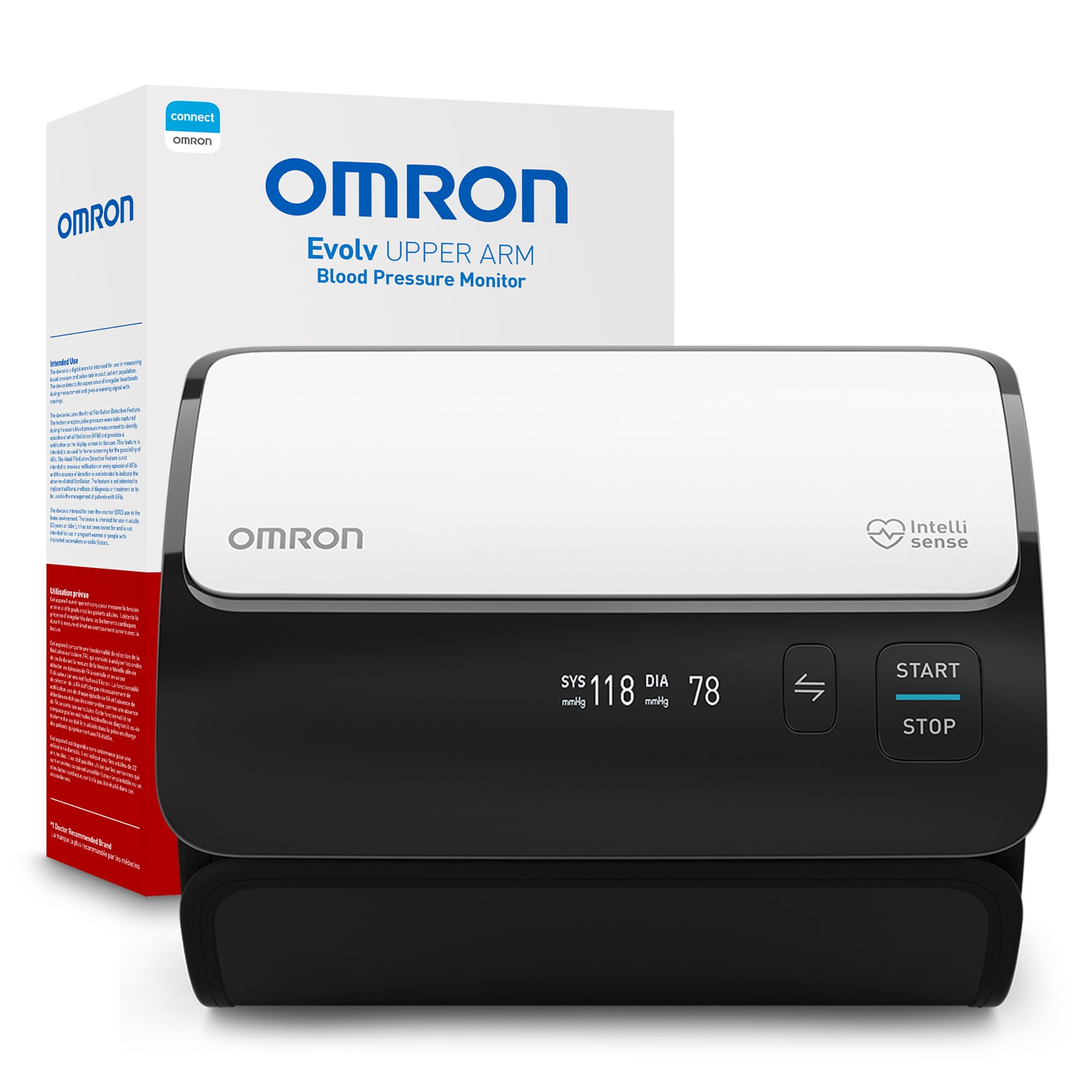
No tube. The cuff on the Evolv wraps around the monitor itself, so the whole unit sits on your upper arm and the reading happens where the measurement does. That's the detail that earns it the top spot here: with a conventional monitor you're holding a cuff in place with one hand and reaching for a button with the other, and that's exactly where a home reading goes wrong. With this one you slide your arm in, press once, and wait.

Inside it's a standard Omron: 100 readings stored on the device, unlimited history in the Omron Connect app, irregular-heartbeat detection, and the Advanced Accuracy system the brand uses further up its range. The attached ComFit cuff fits arms from 9 to 17 inches, which covers most adults. Readings reach your phone over Bluetooth rather than a cable, and the app turns them into trends and a report you can share.

Bluetooth is where to keep your expectations realistic. Connect is the most mature app in this roundup, with the widest device support and the cleanest exports, but pairing isn't always instant, and the newest iPhones have been unreliable with more than one Omron model. If a sync doesn't take, wake the monitor, close and reopen the app, and try again. Buying for a very recent handset, check the current app listing before you order rather than after.

What we keep coming back to is that the friction sits in the optional part. Sit down, wrap, press, read — the measurement works whether or not your phone is in the room, and the memory holds it until the app catches up. It's also small enough, at about 3.5 inches across and 8 ounces, to live in a nightstand drawer and come to an appointment without a second thought.

Pros

  • One-piece cuff is easy to position alone
  • Stores 100 readings without the app
  • Mature app with trends and shareable reports
  • Light and compact enough to pack

Cons

  • Pairing can need a second attempt
  • AA batteries only, no rechargeable option
Our verdict

We recommend the Evolv to most people: the cuff and monitor are one piece, so solo readings are easy, and the Omron Connect app keeps a running log you can hand to a doctor.
Check Latest Price
2

Best for AFib Detection

Omron Platinum

86 /100
Trail Score Excellent

Key details

Power
AC adapter or 4 AA batteries
Cuff Range
9–17 in
Special Feature
AFib detection
On-device Memory
100 readings, 2 users
Check Price on Amazon

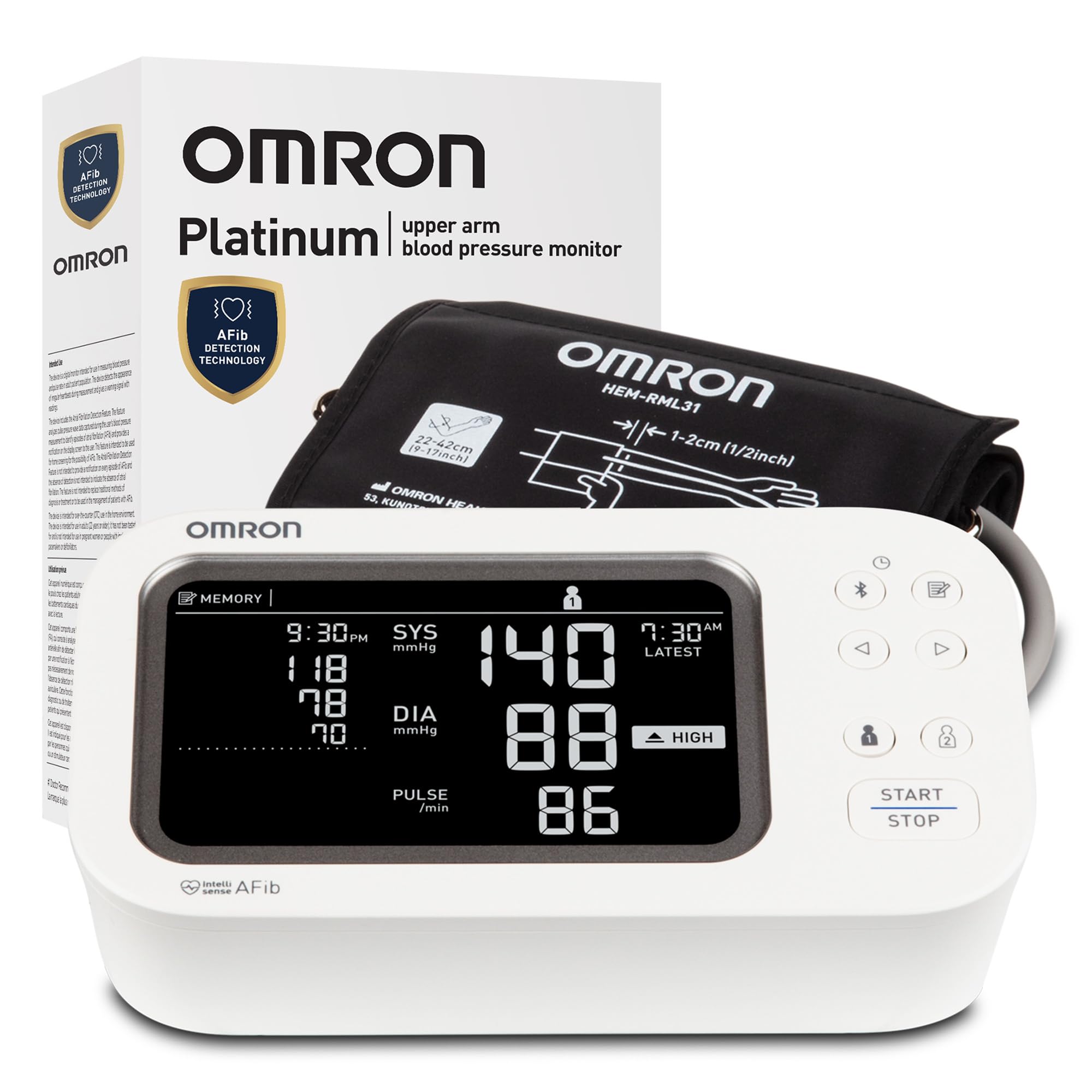
The Platinum does something no other monitor in this roundup does: it screens for atrial fibrillation alongside your blood pressure. AFib is the irregular rhythm that quietly raises stroke risk, and a warning on a device you're already using every morning is a genuinely useful second job for the money.

It's also the best-equipped monitor here in the unglamorous ways, and that's what tips it into a recommendation despite the price. There's an AC adapter in the box, so it can live on a bedside table without eating batteries; the wide-range D-ring cuff covers 9 to 17 inches; two people can keep separate 100-reading histories; and a storage case protects the cuff between uses. For a couple sharing one machine, we prefer this arrangement to any other pick here — nobody's numbers end up in someone else's list.

The D-ring cuff is worth knowing about if you've only used a pre-formed one. You thread the cuff through a metal ring and pull it snug, which gives a secure fit on a large arm but takes a few tries to learn. It's also the heaviest monitor in this group, at about a pound and a third, so it stays put on a table rather than travelling.

The caveats are the price and the alerts themselves. This is the most expensive pick here by a wide margin, and an AFib warning can fire on a rhythm that turns out to be harmless — that's the nature of screening, but it will occasionally send you to the doctor for nothing. If you already have a diagnosed arrhythmia, the warning can show up on the very reading you wanted for pressure alone.

Pros

  • Screens for AFib, uniquely in this group
  • AC adapter included alongside batteries
  • Two separate 100-reading user memories
  • Wide D-ring cuff covers large arms

Cons

  • Most expensive pick in this group
  • AFib alerts can fire on harmless rhythms
Our verdict

Buy the Platinum if you want AFib screening, mains power, and separate memories for two people in one machine; it's the most complete monitor here, at the highest price.

Check Latest Price
3

Best for Travel

Checkme BP2A

88 /100
Trail Score Excellent

Key details

Power
Rechargeable, up to 3 months per charge
Weight
8.16 oz
Display
OLED
Cuff Range
8.6–16.5 in
Check Price on Amazon

Just over 8 ounces, about the size of a thick phone, with a cuff that coils into the same bag: the Checkme is the monitor here that's genuinely built to leave the house. If your readings happen at work, at a gym, or at a relative's kitchen table, that changes how often you actually measure.

It runs on a rechargeable cell rather than AAAs, and a full charge is claimed to be good for around three months of normal use. The OLED screen shows systolic, diastolic, and pulse without any decoding, and readings store on the unit as well as in the ViHealth app.

The app is the part we rate most highly. It handles more than one user, keeps a long history, and exports records as PDF or CSV — formats a cardiologist's office can file. Handing over a printed trend beats scrolling through a phone in an exam room, and it's why this is our pick for anyone managing a condition with a specialist. Accuracy is also among the strongest of the arm monitors in this group, with more readings lining up with a clinician's cuff than not.

The cuff opens to 16.5 inches, so a large arm still fits despite the small body, and a reading takes about half a minute. The display is tiny beside the arm monitors here: readable, but you'll want the app for anything more than the current number.

Pros

  • Light and phone-sized for a bag
  • Rechargeable, with a three-month charge claim
  • PDF and CSV export, multi-user app
  • Strong accuracy feedback in this group

Cons

  • Rechargeable cell can stop accepting a charge
Our verdict

Our choice for a monitor that leaves the house: eight ounces, a rechargeable cell, and an app that exports the PDF or spreadsheet your specialist will actually read.

Check Latest Price
4

Best Budget

iHealth Neo

85 /100
Trail Score Excellent

Key details

App
MyVitals over Bluetooth 4.0
Power
Rechargeable, up to 130 readings
Weight
8.47 oz
Cuff Type
Tube-free, ultra-thin
Check Price on Amazon

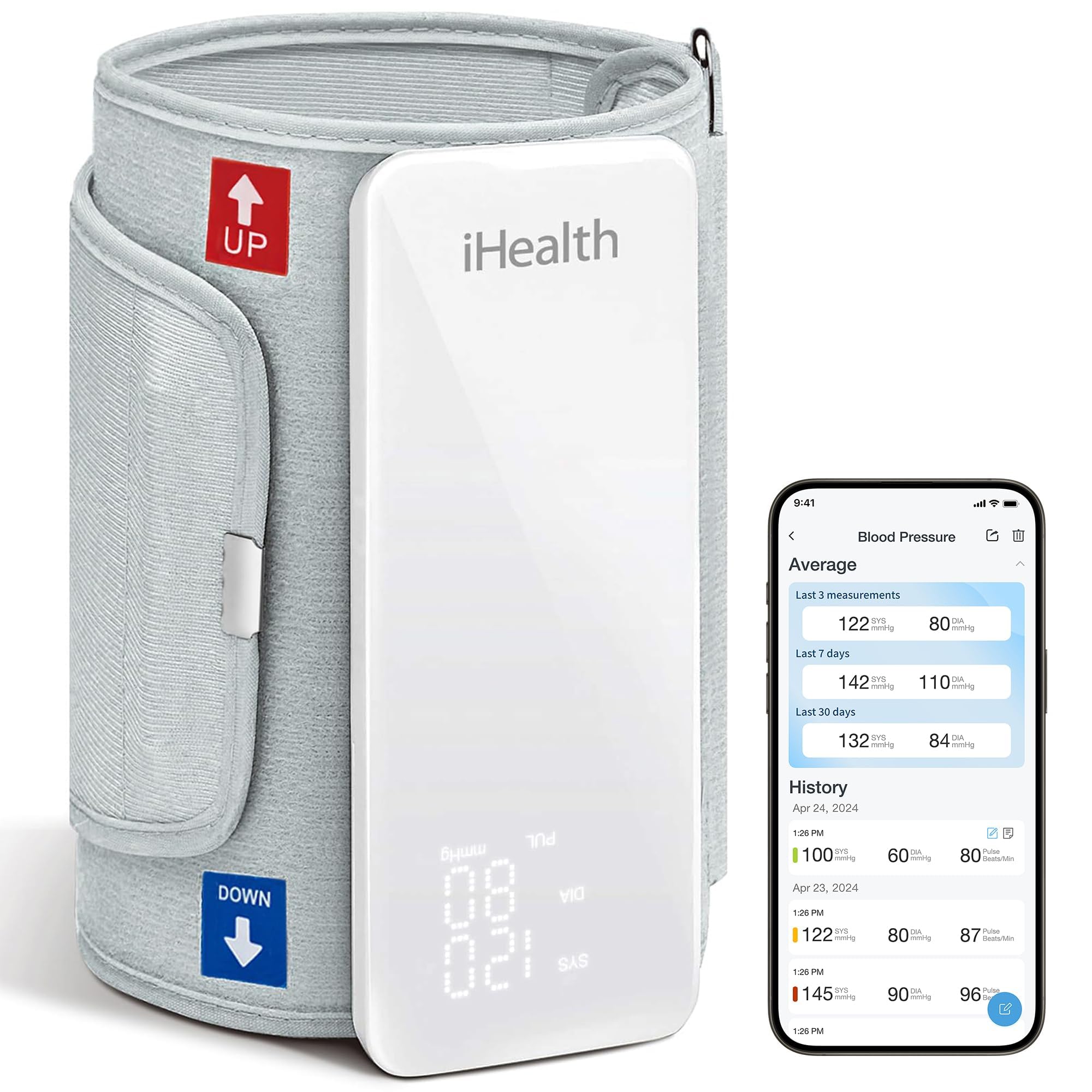
Two things stand out about the iHealth Neo before you take a reading: it's the least expensive monitor we're recommending, and it has the strongest pairing record of anything in this group. Cheap and well-connected is an unusual combination in this category — the budget end is usually where the app gives up.

The design is a soft cuff with a slim control unit and no tube between them. One button, a gentle inflation rather than a hard clamp, and numbers large enough to read at arm's length. At 8.5 ounces and thin enough to slide into a laptop sleeve, it's also the one most likely to travel with you and least likely to be left in a drawer.

The rechargeable battery is rated for up to 130 measurements on a charge, and the MyVitals app holds unlimited history over Bluetooth 4.0, so the phone becomes the log rather than the device. For someone who wants a single number every morning and a clean record for appointments, that's the whole job done at the lowest price here.

Where it gives ground is measurement confidence. Readings on the Neo divide more sharply than on the Checkme or the Meraw, and the pattern in that disagreement is a first reading that runs high and settles on the second. If you buy this one, compare it against your clinician's cuff early and take your readings the same way every time.

Pros

  • Cheapest monitor we recommend
  • Strongest pairing record in this group
  • Tube-free cuff with one-button operation
  • Rechargeable, rated for 130 readings per charge

Cons

  • Cell can stop taking a charge within months
Our verdict

The Neo is our budget pick: the cheapest monitor here that pairs dependably, with a tube-free cuff and one-button readings that make a daily habit easy to keep.

Check Latest Price
5

Best for Apple Health

Etekcity TMB-1583

91 /100
Trail Score Outstanding

Key details

App
Syncs with Apple Health
Power
4 AAA batteries
Weight
8.8 oz
Cuff Range
8.6–16.5 in
Check Price on Amazon

The screen on the Etekcity is the friendliest here: big digits, a clear layout, and enough backlight to read from a nightstand without your glasses. In a household where one person measures and another reads the result out, that's a practical advantage rather than a cosmetic one.

It's also the most direct route into Apple Health on this list. Readings move from the monitor to the Etekcity app to Apple's Health app, so blood pressure sits beside your other data instead of in its own silo. The cuff opens to 16.5 inches and readings store for two people, which covers a couple sharing one machine.

Setup is the least fussy part of owning it: the cuff goes on like any other, the app finds the monitor quickly, and readings land in Apple Health without a second step. It's the lightest-feeling ownership experience in the roundup, and for the money it does an impressive amount — just not the one to pick if the closest possible agreement with your clinic's numbers is the thing you care about most.

Pros

  • Readings sync into Apple Health
  • Large, easy-to-read display
  • Two-user storage and a wide cuff
  • Strong value for a full-featured cuff

Cons

  • Readings are the least consistent of our arm picks
  • Four AAA batteries, no rechargeable option
Our verdict

For iPhone users who want their readings inside Apple Health, this is the one: a big readable display, two-user memory, and simple setup at a budget price.

Check Latest Price
6

Simple Daily Use

Meraw Upper Arm Monitor

90 /100
Trail Score Outstanding

Key details

App
Meraw Health over Bluetooth
Power
4 AAA batteries
Cuff Range
8.7–16.5 in
Pressurization
Adapts to cuff tightness
Check Price on Amazon

Meraw is not a name you know, and the monitor itself is unremarkable: a white cuff, a small screen, four AAA batteries. What kept it on this list is consistency. Readings, setup, and screen legibility all come out as well here as on anything in the group, and better than on several better-known monitors.

The pressurization is the interesting engineering. Rather than pumping to a fixed pressure regardless of the cuff, it adapts to how tightly the cuff is wrapped, which takes some of the guesswork out of the step people most often get wrong when measuring alone. Readings sync over Bluetooth to the Meraw Health app for trend tracking and sharing.

The reservation is the app, not the machine. Meraw Health is a smaller operation than Omron Connect, and Android availability has been inconsistent enough that it's worth opening the Play Store and confirming the app is there for your phone before you order. If it is, you're getting readings and legibility that hold up against monitors costing more. The 8.7-to-16.5-inch cuff covers a large arm without a second purchase, and the whole thing tucks into a drawer between readings.

Pros

  • Adaptive pressurization eases cuff placement
  • Clear display and easy setup
  • Readings hold up against pricier monitors
  • Wide 8.7–16.5 in cuff

Cons

No notable drawbacks to flag.

Our verdict

A lesser-known name we rate above several familiar ones: it measures well, reads clearly, and asks only that you confirm the Meraw Health app runs on your phone.

Check Latest Price

How We Tested the Best Bluetooth Blood Pressure Monitors

We started with every Bluetooth upper-arm monitor we could find from the major drugstore and medical-device brands, then cut anything without a published validation listing, a cuff that fits a wide range of arms, or room to store readings for more than one person. That left 12 monitors, all bought at retail, all used for six months.

Each one got used the way these actually get used: a Saturday morning before coffee, a weekday evening after work, and — for the three smallest — a hotel room on a work trip, packed into a carry-on. Every session we took three readings a minute apart and wrote down the spread, because a monitor that swings 15 points between readings is one you'll stop trusting. The top performers also came to a nurse's office, where we compared their numbers against a calibrated office cuff taken minutes apart.

We timed setup out of the box and counted how many tries pairing took; anything that needed more than two got marked down. To test data storage, we exported a month of readings to send to a doctor and checked whether dates, times, and pulse came through or just the top number. Battery life got the least glamorous test — we logged readings until each unit died, noting which ones warned us first. Portability we judged by whether the whole thing fit in a dopp kit with the cuff still attached, and value by what the extra money actually bought.

How to Choose a Bluetooth Blood Pressure Monitor

Accuracy Starts With How You Sit

Every monitor here works the same way: a cuff inflates, senses the pressure wave in your artery, and does the arithmetic. What moves the result most happens before that — a full bladder, a cuff clamped over a sleeve, or an arm hanging at your side can shift a reading by more than you'd expect. Sit with your back supported, feet flat, and your arm resting at heart level, stay quiet for five minutes, then take two readings a minute apart and log the second.

If your numbers routinely disagree with your clinician's cuff, don't assume the device is broken. Bring it to an appointment and compare side by side. That five-minute test tells you whether the problem is the machine or the technique, and it's the check worth doing in the first month of ownership rather than the first year.

What Bluetooth Actually Buys You

Sync buys history: unlimited storage in an app, trends over weeks instead of a notebook of numbers, and a report you can email or export. That's the real payoff of a connected monitor — not the wireless part itself, but what a clean record does for an appointment.

The catch is that pairing is the least reliable component of any of these machines. Omron's Connect app is the most polished, and even some Omron models have been unreliable with the newest iPhones; the Meraw app's availability on Android varies by device. Check the app's current listing for your own phone before you order — a two-minute check that saves a return.

Cuff Fit and Getting It On Alone

Most upper-arm monitors here fit a 9-to-17-inch arm, with a few reaching slightly lower at the bottom end. Measure your bare upper arm at the midpoint before ordering: a cuff that's too tight reads high, and a loose one gives you an error instead of a number.

Then think about one-handed use, because that's where home readings fall apart. A pre-formed cuff you slide into is easiest; a D-ring cuff you thread and pull gives a snugger fit on a large arm but takes practice; a one-piece design like the Omron Evolv's removes the tube entirely, which is the difference between a reading in thirty seconds and a wrestling match.

Power, Memory, and the Cost of Keeping It Running

Four AAA batteries last months at a reading a day, but they die at the worst moment, and a rechargeable monitor trades that annoyance for a cell that can stop holding charge. The Omron Platinum includes an AC adapter, which suits a monitor that lives on one bedside table; the Checkme and the iHealth Neo are rechargeable and better for a bag.

Memory is the other unglamorous decision. If two people share one machine, look for separate user memories — the Platinum and the Etekcity both keep two — rather than a single list you have to untangle later.

Upper Arm or Wrist

Upper-arm cuffs are the reference design, and every arm monitor here puts the cuff at heart level almost automatically. A wrist monitor is smaller and easier to pack, but you have to hold the wrist at heart level and keep it still, and it's easy to measure your own pulse position instead of your blood pressure.

We treat wrist models as a travel compromise rather than a default. If you buy one, rest the forearm on a table at chest height and take the reading the same way every time, or the numbers won't be comparable from one day to the next.

Frequently Asked Questions

Final Verdict

The Omron Evolv is the one to buy first. Its single-piece cuff removes the step where home readings usually go wrong, it keeps a reading whether or not your phone cooperates, and the app turns months of numbers into something you can hand a doctor.

Go up to the Platinum only if AFib screening and mains power matter to you; go to the Checkme if the monitor has to leave the house; and on a tight budget, the iHealth Neo is the cheapest monitor here that still pairs dependably.