Best Blood Pressure Monitors of 2026

The first time I handed my doctor a week of at-home blood pressure readings instead of one hurried clinic number, the conversation changed. A good monitor turns a vague worry into a pattern you can see—morning readings, evening readings, what happens after coffee or stairs. The wrong one gives you numbers you don't trust, a cuff that pinches, or a display you have to squint at. I've spent six months with 12 monitors, from one-button upper-arm cuffs to compact wrist models, and the difference is rarely the feature list.

Reliability is the point: the same reading twice, a cuff that fits without a wrestling match, a screen you can read at 6 a.m. without hunting for glasses. Ease of use matters more than you'd think—five button presses before every reading and you'll stop using it—and a few models play a completion tune. App connectivity and a compact case are nice extras; battery life is the quiet dealbreaker. The best values aren't the most feature-heavy—the picks below are the ones I'd trust with my own numbers.

1

Best Overall

Generation Guard GM-800A

93 /100
Trail Score Outstanding

Key details

Power
4 AA batteries (included)
Alerts
Irregular heartbeat and hypertension indicators
Memory
90 readings
Check Price on Amazon

If a home monitor has only one job, it's giving you a number you can trust. The GM-800A does that better than anything else we kept: its accuracy is the most consistent in this group, and its reliability record is the cleanest. It's also the plainest device on the page — no Bluetooth, no app, no voice prompts — and after a couple of weeks we stopped noticing what was missing. One button, a short wait, four big digits.

What's in the box is everything you need and nothing you don't: the monitor, four AA batteries, and the cuff. Ninety readings stay onboard, roughly a few months of twice-daily checks for one person, and the memory holds a single profile, so a second person in the house would be scrolling past someone else's history. The screen flags readings above the WHO's guideline thresholds and warns when your rhythm looks irregular. We treated both as context, which is exactly what they are.

The cuff is the thing to settle before you order. Generation Guard doesn't publish a circumference range the way the others here do, and it runs snug on bigger arms. Measure your upper arm at the midpoint first; if you're near or above 16.5 inches, the yuwell's wider cuff is the better bet. What you pay for here is the boring part — a monitor that hands you the same answer twice.

Pros

  • Accuracy holds up against a clinical cuff
  • One-button operation with large digits
  • 90 readings of on-device history
  • Batteries included, no app to maintain

Cons

  • Cuff runs snug on larger arms
Our verdict

If you want one monitor that keeps handing you the same believable number, this is the one we point people to — provided your upper arm measures comfortably inside its cuff.
Check Latest Price
2

Best for Two Users

Paramed B22S

91 /100
Trail Score Outstanding

Key details

Power
4 AAA batteries
Memory
120 readings for each of 2 users
Results
Spoken aloud, with a silent mode
Cuff Range
8.7–16.5 in
Check Price on Amazon

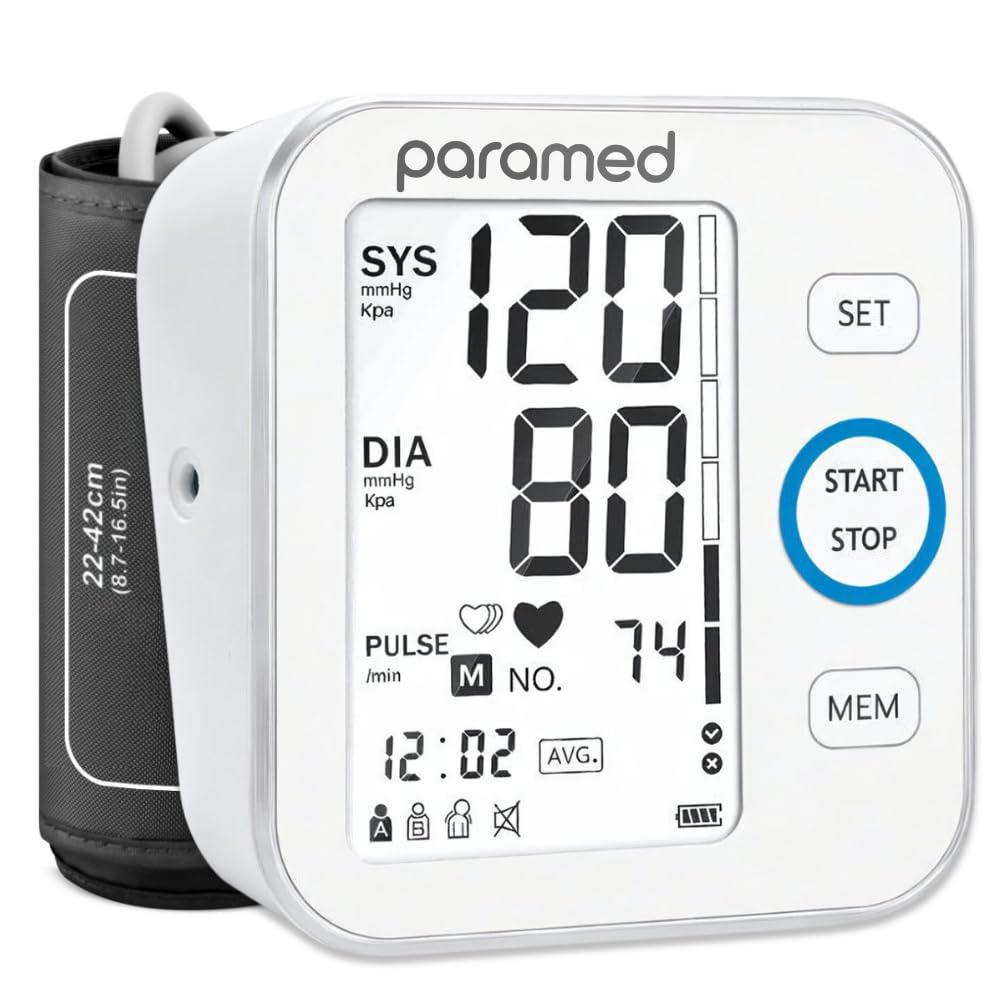
Two people, one monitor, and no argument about whose reading is whose: that's the case the Paramed makes better than any other device here. Each profile stores 120 readings, and switching between them is one press before you start the cuff. It also self-checks the cuff's position, which sounds like a small feature until a reading comes back strange because the wrap sat an inch too low.

The piano that plays while the cuff inflates is the detail we expected to hate, and we silenced it — along with the voice — inside the first day. Then we changed our minds about the voice. For anyone who can't read a screen across the room, hearing the numbers spoken is the difference between a monitor that gets used and one that lives in a drawer.

Where it asks for patience is the start of a measurement. The Paramed is the fussiest of these about cuff placement: wrap it wrong and it errors out instead of guessing, and three failed attempts is a frustrating way to begin a morning. Get the fit right and the reading is quick, the display is legible from a chair, and the carrying bag means it travels. Batteries go in and it's ready.

Pros

  • Two separate 120-reading user profiles
  • Spoken results with a silent mode
  • Cuff self-checks its position

Cons

  • Errors out when the cuff sits wrong
Our verdict

We recommend it for two-person households first: separate memories, a voice you can mute, and a cuff that checks its own position before it measures.

Check Latest Price
3

Best with an App

OMRON Bronze BP5150

91 /100
Trail Score Outstanding

Key details

Power
4 AA batteries
Memory
14 readings on device, unlimited in app
Cuff Range
9–17 in
Connectivity
Bluetooth with OMRON Connect app
Check Price on Amazon

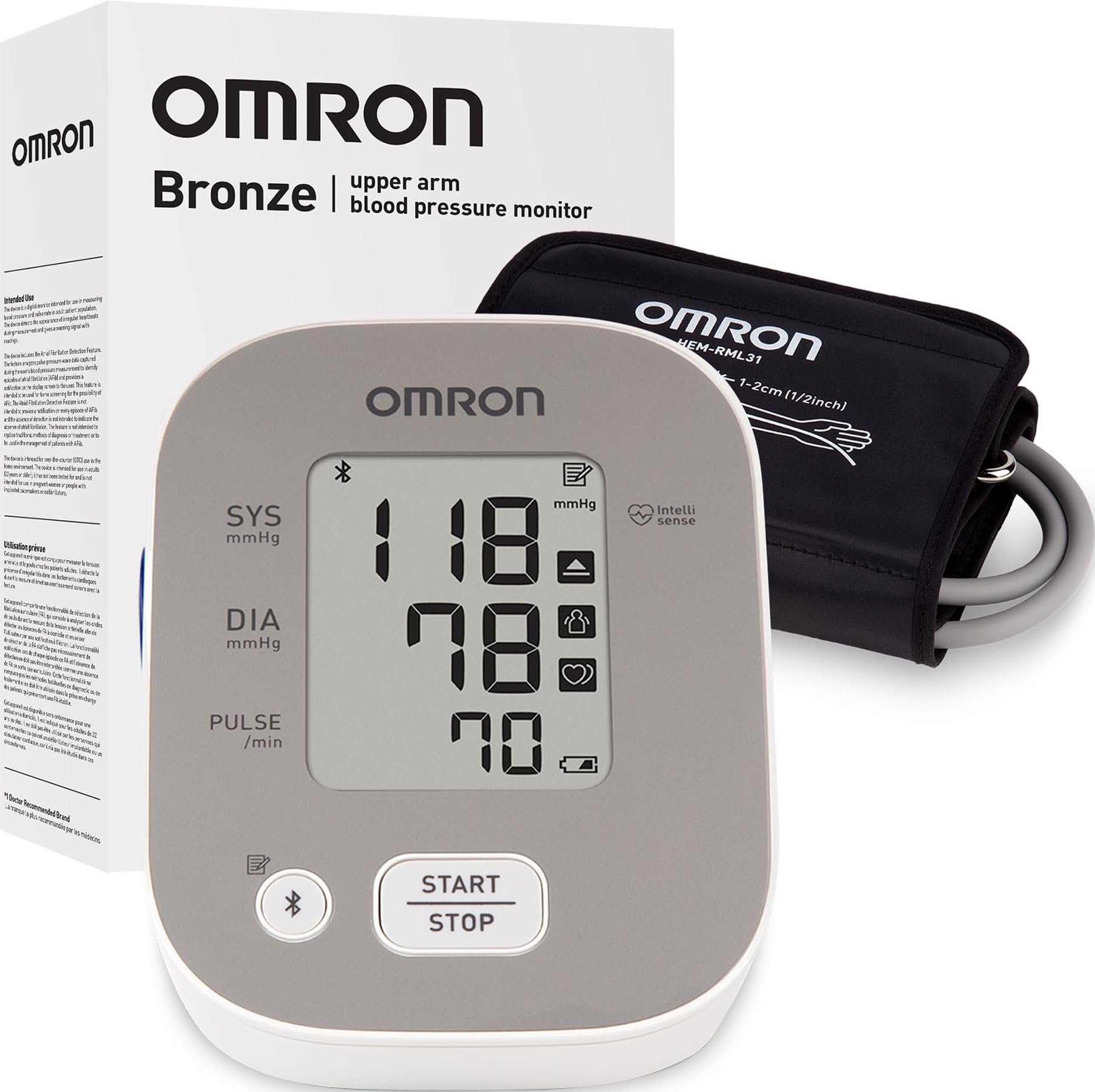
Fourteen. That's how many readings the Bronze holds on the device itself, and it explains the rest of the design: this monitor is built to push your numbers onto a phone. Pair it with the OMRON Connect app over Bluetooth and the history becomes effectively unlimited — charted, averaged, and ready to hand to a cardiologist who asks how the last three months have gone.

The app is the reason to buy it, but the cuff is the part we appreciate most. It's a D-ring design: slide your arm through, pull the strap snug one-handed, press start. It covers 9 to 17 inches, so it handles a big arm without an accessory cuff, and because the ring guides placement instead of your best guess, it's the easiest of these to put on alone. Getting the cuff on straight is the step people get wrong.

Bluetooth is the weak link. Pairing takes more attempts than it should, and if it never sticks you're left with fourteen readings and half the product you paid for. Accuracy sits in the middle of this group too — good enough for trends, though it isn't the leader. Buy it for the app and the cuff, and give the pairing a proper workout while you can still send it back.

Pros

  • Unlimited history in the OMRON Connect app
  • Slide-on D-ring cuff spans 9 to 17 inches
  • Irregular heartbeat and hypertension alerts

Cons

  • Only 14 readings stored on the device
  • Bluetooth pairing can take several tries
Our verdict

Buy this one for the app and the slide-on cuff rather than for its memory — it's the easiest monitor here to live with if your readings need to end up on a phone.

Check Latest Price
4

Best for Larger Arms

yuwell YE660E

91 /100
Trail Score Outstanding

Key details

Power
Adapter and batteries included
Alerts
Hypertension and body-movement indicators
Memory
99 readings
Cuff Range
8.7–17.7 in
Check Price on Amazon

Past about 16 inches, most of this group stops fitting. The yuwell's cuff reaches 17.7 inches, the widest here, and that alone is why it earns a place. Cuff size isn't a comfort question on a blood pressure monitor: a cuff that's too small squeezes the artery harder than it should and pushes the number up, and you can't spot that error by looking at the reading.

It's also the only monitor here that ships with a power adapter as well as batteries, and the adapter is what we reached for. A device that lives on a nightstand doesn't need to be portable, and not hunting for cells before the first coffee is a small daily mercy. Ninety-nine readings stay onboard, the voice broadcast reads results aloud and can be switched off, and a movement alert nudges you when you've shifted mid-test.

The reservation is accuracy. Disagreements with a clinical cuff turn up here more than they do with our top pick — enough that we treat this as a strong second monitor rather than the only one in the house. Long-term reliability is the other soft spot, with failures that land around the year mark, past the point where a return is easy. Buy it for the fit and keep a clinical reading as your reference.

Pros

  • Cuff fits arms up to 17.7 inches
  • Power adapter and batteries both included
  • Voice broadcast with a mute option

Cons

  • Readings disagree with clinical cuffs more often than our top pick
  • Durability past the first year is uneven
Our verdict

For a larger arm, nothing else here fits as well — just treat it as a second monitor until you've checked its readings against a clinical cuff.

Check Latest Price
5

Reading in Dim Light

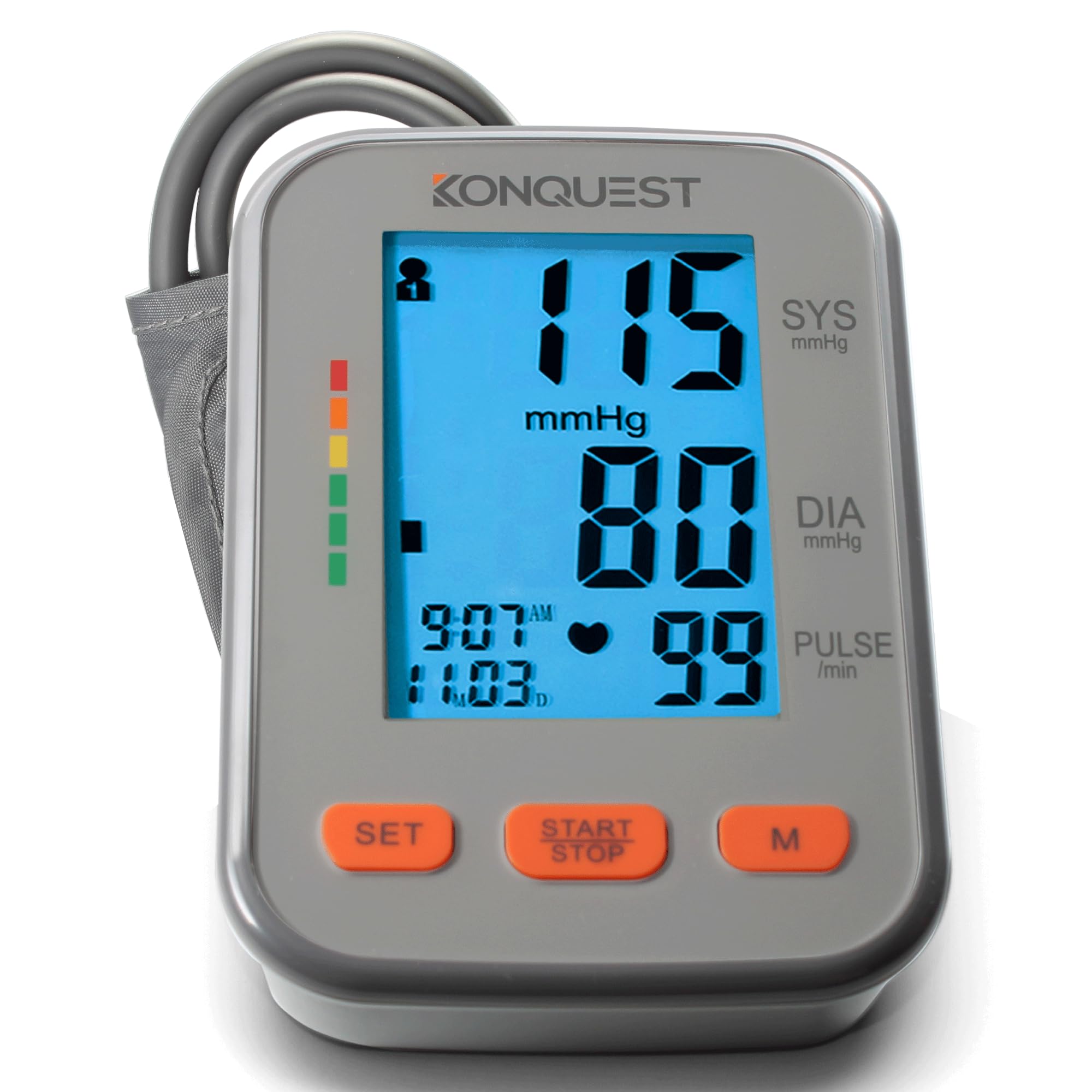
Konquest KBP-2704A

91 /100
Trail Score Outstanding

Key details

Power
4 AA batteries (included)
Alerts
Irregular heartbeat and WHO indicator
Display
Backlit LCD, all readings on one screen
Cuff Range
8.5–16.5 in
Check Price on Amazon

Six in the morning, lights still off, and the KBP-2704A's backlight is bright enough to read without waking anyone. Systolic, diastolic, pulse and the WHO indicator all sit on one screen instead of cycling through, so there's no second page to wait for. For a device you operate half-asleep, that isn't a small thing.

The cuff pulls in the other direction. It's listed at 8.5 to 16.5 inches, and it runs tight and scratchy on a larger arm — if you're near the top of that range, size is the first question, not the last. Accuracy is the other split: readings that skew high turn up often enough here that we treat the display as the reason to buy and the number as something to verify against a clinic cuff.

What it gets right is everyday handling — one button, batteries in the box, a screen that stays legible at an angle, and a setup that takes minutes rather than an evening. For someone with a smaller arm who wants a bright, uncomplicated display and has no interest in an app, it's a sensible buy. Everyone else should look at the Paramed, which handles two people for a little less.

Pros

  • Backlit screen readable in a dark room
  • All readings on one screen
  • 4 AA batteries included

Cons

  • Cuff runs tight on larger arms
  • Readings skew high more often than our top pick
Our verdict

The clearest screen in this group and the simplest setup, though we treat its readings as a trend to confirm rather than a number to take at face value.

Check Latest Price

How We Chose and Tested These Blood Pressure Monitors

We started by pulling more than two dozen upper-arm and wrist monitors sold at major retailers, then narrowed the list by validated accuracy claims, available cuff sizes, price, and whether the basics—memory, multiple users, a readable display—worked without a manual. We ended up with 12 monitors and used them for six months, rotating them through morning and evening readings at the dining table, after coffee, after stairs, and during a few stressful workdays. Each one got a turn on two people with arm circumferences at opposite ends of the cuff range, so fit and comfort got a real workout rather than a quick try-on.

Accuracy was checked by taking three readings in a row and comparing the spread, then cross-checking a set against a calibrated upper-arm cuff at a clinic. We noted whether the cuff squeezed too hard, slipped during inflation, or left a mark, and whether the display's numbers were large enough to read from a seated position without leaning in. Ease of use got timed: button presses from power-on to reading, how long it took to switch users, and whether the memory was easy to scroll. We paired every app-connected model with a phone, logged how often syncing failed, and watched battery indicators over weeks of twice-daily use.

Compact models went into a drawer and a carry-on to see whether the case protected the cuff, whether the plastic felt flimsy, and whether the smaller footprint made us more likely to use it away from home. We listened for the finish beep or little melody on every unit and noted whether it was loud enough to hear from the next room and whether it could be muted. Value came down to what we actually use: a cheap monitor with a clear screen and a comfortable cuff beat a feature-heavy one that made us dread the routine.

How to Choose a Blood Pressure Monitor

Fit Comes Before Features

Measure your upper arm at the midpoint, arm relaxed, before you shop. Cuffs in this group start at 8.5 inches and reach 17.7, and the range matters more than any feature on the box: a cuff that's too small squeezes the artery harder than it should and reads high, while a loose one reads low. Aim for the middle of a stated range rather than the edge.

If you measure past 17 inches, the yuwell is the only monitor here that reaches. If you measure under 9 inches, the Konquest at 8.5 and the Paramed and yuwell at 8.7 are the ones with any room at the small end.

What Accuracy Looks Like at Home

No consumer monitor matches a hospital-grade device point for point, so that isn't the test. What you want is repeatability: two readings a minute apart that agree with each other, and a pair that tracks the reading you get at an appointment. Bring the monitor along once and compare side by side.

A device that reads consistently high is worse than no device, because it can send you to a clinic over nothing or hide a real change. Our top pick earned its place on this test rather than on its feature list.

Memory, Apps, and the Record a Clinician Wants

Fourteen readings on the device, ninety-nine, or effectively unlimited in an app — the number that matters is how many you'll have when somebody asks. Twice-daily checks fill onboard memory within weeks, which is the argument for Bluetooth and the OMRON app, or for a notebook kept beside the cuff.

Two people monitoring on one device should look for separate profiles rather than a shared list. The Paramed splits 120 readings each, which keeps two histories from tangling.

Batteries, Adapters, and Running Costs

Nearly everything here runs on AA or AAA cells, and voice prompts, backlights and Bluetooth all shorten their life. A monitor that lives on a nightstand is a good candidate for an adapter, and the yuwell is the only one in this group that ships with one.

If the monitor travels, the reverse applies: batteries, the bag, and a spare set stored with the cuff so a low-battery icon never costs you a morning reading.

Screens, Buttons, and Spoken Results

One button beats four, and a backlight earns its keep if you measure before dawn. A spoken result is a real accessibility feature rather than a gimmick: the Paramed and yuwell both read numbers out loud, and both let you silence them.

We stopped using the voice within a week, but for a parent with failing eyesight it's the difference between a monitor that gets used daily and one that gets abandoned in a drawer. Buy for the person who'll actually press the button.

Frequently Asked Questions

Final Verdict

Most people should buy the Generation Guard GM-800A. It's the least interesting monitor here and the one we trust most: one button, four big numbers, and the cleanest accuracy and reliability record in the group.

Two people sharing a monitor should take the Paramed instead, anyone who wants three months of trends on a phone should pay for the OMRON Bronze, and if your upper arm measures past 16.5 inches, start with the yuwell — fit beats every feature on this page.