Best Dual Monitor Arms of 2026

A second monitor doubles your screen real estate, and quietly doubles the load hanging off your desk. Two panels cantilevered from one clamp put real torque on the desktop, and a bargain arm announces itself fast: a slow droop, a wobble every time you type, a joint that needs retightening every few weeks. The right dual arm holds both screens exactly where you leave them, frees the desk underneath, and swings aside with one hand. What separates the good from the frustrating usually isn't the headline weight rating — it's how the joints hold once they're loaded, and how much of the assembly you can do alone.

I've built dual-monitor setups in a cramped apartment corner and on a full-size office desk. Over the past six months, my team and I tested 10 dual monitor arms, clamping them to desktops of different thicknesses and living with them through the daily sit-stand shuffle. A few earned a permanent spot; one started to sag within a week. The picks below are the ones that held.

1

Best Overall

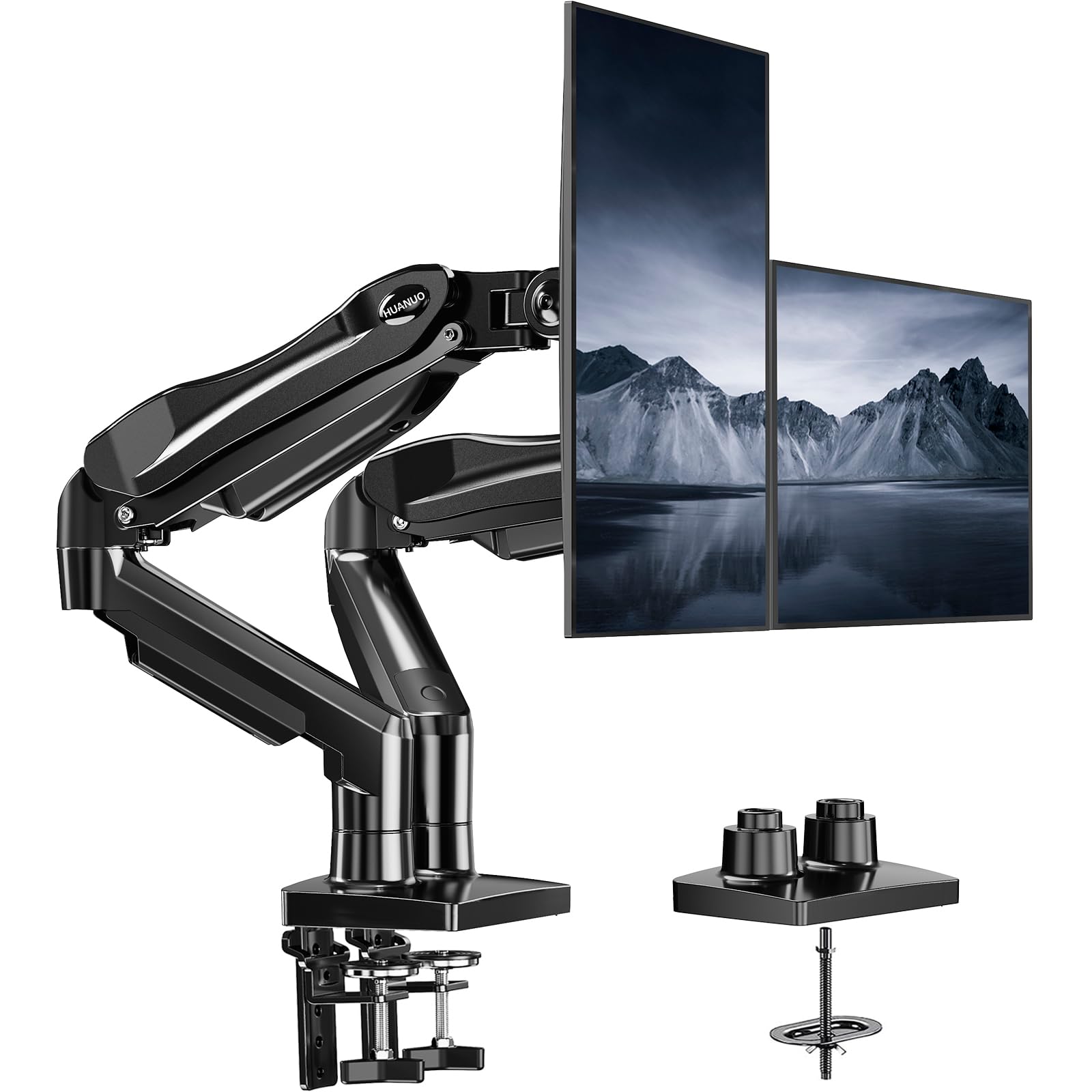
HUANUO 13-27 Inch Dual Monitor Stand

93 /100
Trail Score Outstanding

Key details

Mounting
C-clamp or grommet
Warranty
5 years
Screen Range
13 to 27 inches
Weight Capacity
19.8 lbs per arm
Check Price on Amazon

The dual C-clamp is the first thing we noticed about this HUANUO, and it is the reason we recommend it to most people. Instead of tightening one small clamp against the desk, the base spreads its grip across a wider footprint; once we seated it, the whole assembly stayed put when we nudged the monitors. The arms move independently, so you can pull one screen forward for a document and leave the other back. With a 19.8-pound rating per arm, it covers most 24- to 27-inch displays without asking you to think about spring tension all day. The five-year warranty is one of the longest here, and it makes the midrange position easier to justify.

We set up two 27-inch screens and spent time moving them through the range. The height range gave us enough room to get the bottom bezels off the desk, and the tilt and swivel felt controlled rather than loose. What we appreciated most was the clamp's access: the tightening point sits where you can reach it without crawling under the desk. The arms also fold back far enough to clear a keyboard tray, which is the kind of small win you notice every day.

The adjustment is not set-and-forget for every load. With lighter screens, the arms needed less tension; with heavier ones, more. We had to tune the tilt a second time after a day of use, and then they held. That is normal for this class, but it is worth doing before you judge the arm. The cable covers are plain plastic, but they kept our display cables from draping across the desk, and that was enough.

Pros

  • Dual C-clamp base feels planted
  • Independent arms for two screens
  • 19.8 lbs per arm covers common 27-inch screens
  • Five-year warranty

Cons

  • 27-inch screen ceiling
Our verdict

Most two-monitor desks with 24- to 27-inch screens should start here: the HUANUO's dual clamp feels secure, the arms move independently, and the five-year warranty adds confidence.

Check Latest Price
2

Best Budget

VIVO STAND-V002 Dual Monitor Mount

93 /100
Trail Score Outstanding

Key details

Warranty
3 years
Screen Range
13 to 30 inches
Desk Thickness
Up to 3.25 inches
Weight Capacity
22 lbs per arm
Check Price on Amazon

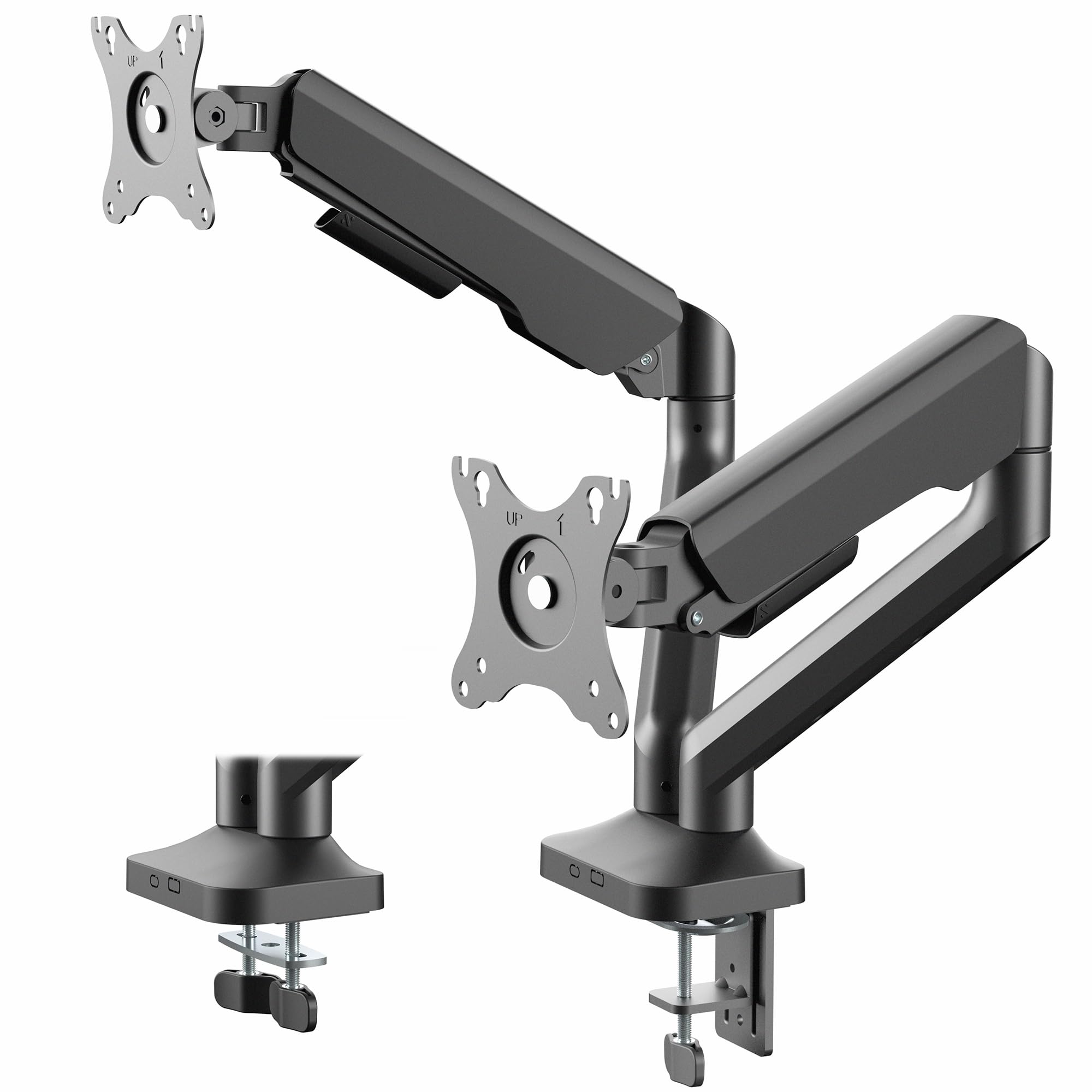
The first thing to know about the STAND-V002 is that both arms hang from one center pole. That keeps it simpler and less expensive than the spring arms here, but it also means height is a shared setting: raise one screen and the other rises with it. If you set your monitors once and leave them, that is a fair trade. If you move one screen up for a video call and back down again, the pole will remind you of the compromise every time.

We mounted two 24-inch screens and found the 22-pound per-arm rating reassuring; the steel arms held them without visible sag once the joints were tightened. The tilt, swivel, and rotation cover the usual positions, and the detachable VESA plates let us attach each screen before hanging it. That last detail spared us a second pair of hands, which is more than we can say for some arms here. For a tight budget, this is the one we point to first.

The joints are not the smoothest. We had to retighten the tilt on one arm after a few days, and the arm can feel all-or-nothing when you loosen it to reposition. The C-clamp has a wide enough opening for a thick desktop, and it did not mark the underside of ours. The three-year warranty is decent for a budget arm, but the simple steel build is the real reason it stays in the conversation.

Pros

  • 22 lbs per arm at a budget position
  • Fits 13- to 30-inch screens
  • Detachable VESA plates simplify mounting
  • Three-year warranty

Cons

  • 30-inch maximum screen size
Our verdict

For a set-and-forget pair on a tight budget, the STAND-V002 is the simple pole mount we recommend, with 22 pounds of support per arm.

Check Latest Price
3

Best for 32-Inch and Heavier Monitors

HUANUO HNDS7 Dual Monitor Stand

93 /100
Trail Score Outstanding

Key details

Mounting
C-clamp or grommet, up to 3.54 inches
Screen Range
13 to 32 inches
Weight Capacity
26.4 lbs per arm
Height Adjustment
Up to 21.1 inches
Check Price on Amazon

The HNDS7 is the arm we reach for when the monitors are big or heavy. Its 26.4-pound per-arm rating and 32-inch ceiling put it at the top of this set for capacity, and the aluminum arms feel more substantial than the steel-and-plastic builds on the budget picks. We mounted a pair of 32-inch screens and found the base stayed planted once the dual C-clamp was tight. The capacity is the point: the arm does not make you choose between a 32-inch screen and a safe margin.

The dual C-clamp opens to 3.54 inches, which covers thicker desktops than most here, and the grommet option is there if you prefer a through-desk mount. The arms raise to 21.1 inches, enough to get a low 32-inch screen closer to eye level. We also used the USB ports for a phone and a webcam receiver; they are a small convenience, but they kept two cables off the desk.

The movement is smooth once the tension is set, but setting it takes some patience. A light monitor needs less spring preload, and a heavy one needs more; we had to make a couple of passes before the tilt held. The five-year warranty is the reassurance: this is an arm for screens you do not want to replace.

Pros

  • 26.4 lbs per arm for heavier monitors
  • Fits 32-inch screens
  • Aluminum arms and dual clamp
  • USB ports and five-year warranty

Cons

  • Costs more than the budget picks here
Our verdict

When either monitor is 32 inches or heavier, the HNDS7 is the arm to buy, with aluminum arms and 26.4 pounds of support per side.

Check Latest Price
4

Best Budget for 32-Inch Screens

ErGear EGDS15B Dual Monitor Stand

91 /100
Trail Score Outstanding

Key details

Warranty
2 years
Screen Range
17 to 33 inches
Weight Capacity
22 lbs per arm
Height Adjustment
Up to 17.5 inches
Check Price on Amazon

Two 32-inch monitors on a budget usually mean accepting a shorter arm or a weaker clamp. The EGDS15B is the pick that stretches to 33 inches and 22 pounds per arm without moving into the premium tier. The steel build is not as refined as the HUANUO HNDS7, but it has the capacity that matters for a big-screen pair.

We mounted a pair of 27-inch screens first, then a 32-inch on one side, and the arm held both without visible droop once the tension was set. The height range reaches 17.5 inches above the desk, and the arms articulate independently. The C-clamp and grommet options cover the usual desk setups, and the open VESA plates made it easy to hang each screen.

The adjustment feel is where it gives ground. The tilt joint takes a few tries to hold a heavier screen at the angle you want, and the arms are not as smooth to swing as the aluminum HNDS7. Once set, though, it stayed put through a week of use. For a budget 32-inch build, that is the trade we accept: capacity first, refinement second. The grommet option is a real alternative if your desk has a cable hole, and it removes the clamp from the front edge.

Pros

  • Supports screens up to 33 inches
  • 22 lbs per arm
  • Independent articulating arms
  • 17.5-inch height range

Cons

  • Two-year warranty is shorter than the five-year picks
Our verdict

The EGDS15B is the budget route to two 32-inch screens, with 22 pounds of capacity per arm and a height range that clears a desk.

Check Latest Price
5

Best for Ultrawide Monitors

VIVO STAND-V200O Dual Monitor Arm

89 /100
Trail Score Excellent

Key details

Arm Type
Pneumatic spring
Screen Range
17 to 35 inches
Desk Thickness
Up to 3.15 inches
Weight Capacity
26.4 lbs per arm
Check Price on Amazon

Ultrawide monitors are where dual arms often run out of headroom. The STAND-V200O lists a 35-inch ceiling and 26.4 pounds per arm, and its pneumatic arms are built to counterbalance that much screen. On paper, it is the most specialized mount here: a dual arm for two wide, heavy displays rather than a general-purpose pair.

We tried it with two wide curved screens and the spring assist made height changes easier than the pole-mounted VIVO. The arms held position after we set tension, and the detachable VESA plates made it easier to hang each screen without balancing it. The 10.8 inches of height travel is the spec we checked first; it gave us enough room to lift a low ultrawide to eye level. For a two-ultrawide desk, this is the arm we choose.

The clamp tops out at 3.15 inches, so a very thick desktop may need the grommet. The pneumatic arms also need to be matched to the load; a light screen can feel over-sprung until you dial them back. We prefer the V200O for wide screens, not for a pair of small office monitors where a cheaper arm does the same job. The cable covers run along the arm rather than clipping to the outside, so the cords stay put when you raise the screens.

Pros

  • Fits ultrawides up to 35 inches
  • 26.4 lbs per arm
  • Pneumatic height assist
  • Detachable VESA plates

Cons

  • Premium price for a specialist arm
Our verdict

Two ultrawides up to 35 inches belong on the STAND-V200O, which pairs pneumatic height control with 26.4 pounds of support per side.

Check Latest Price
6

Best Gas-Spring Value

Acer AMS002 Dual Monitor Arm

89 /100
Trail Score Excellent

Key details

Mounting
C-clamp or grommet
Warranty
1 year
Screen Range
17 to 32 inches
Weight Capacity
19.8 lbs per arm
Check Price on Amazon

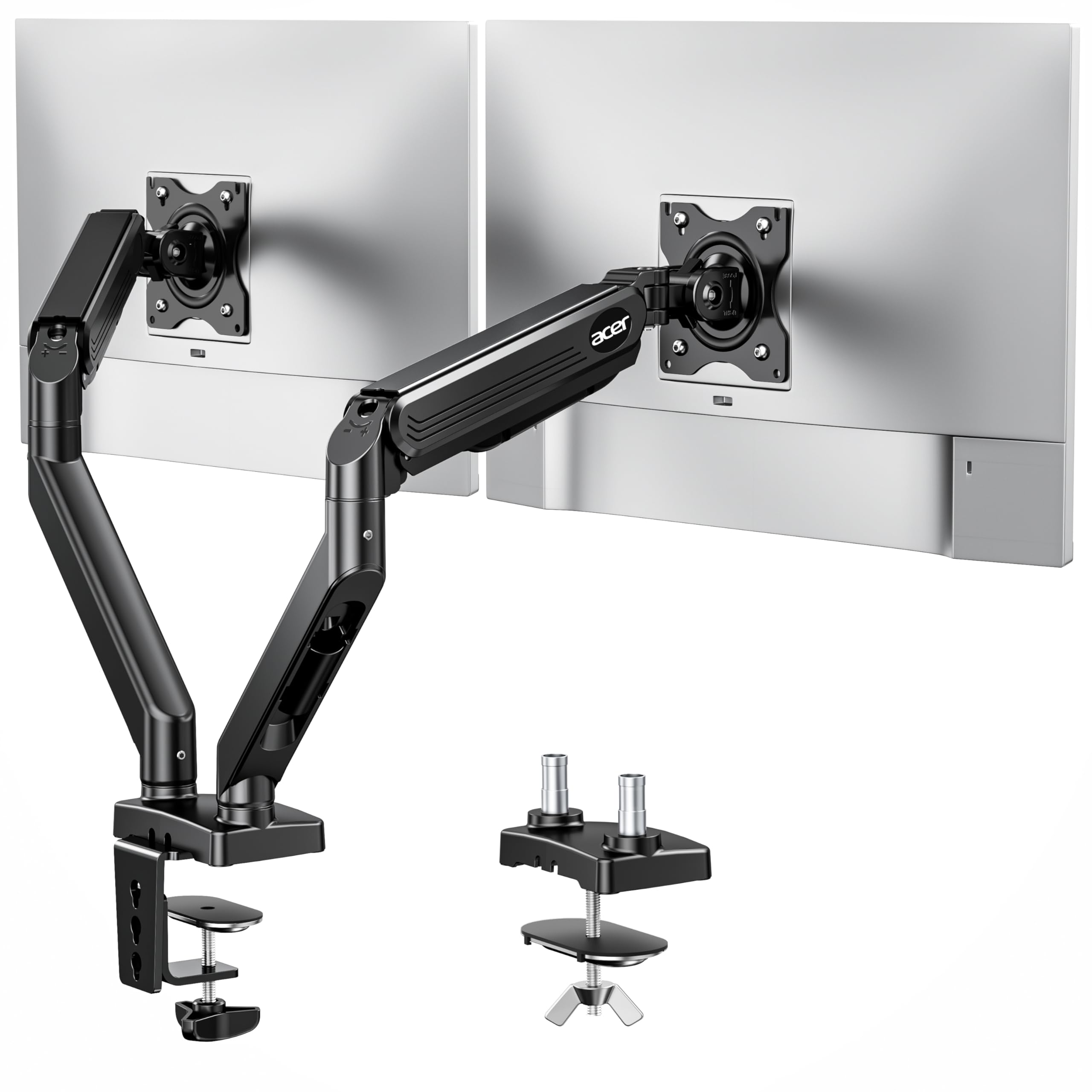
The Acer AMS002 is one of the few midrange arms here with a gas spring rather than a mechanical spring or a plain friction joint. That makes height changes smoother, especially if you alternate between sitting and standing. It supports 17- to 32-inch screens at 19.8 pounds each, so it covers a typical pair of 27s with room for a 32 on one side.

We mounted two 27-inch screens and found the gas spring easy to move through most of its travel; the arm stayed where we left it after a small tension adjustment. The C-clamp and grommet options are both included, and Acer lists the arm as tested for 20,000 cycles. The VESA plates attach with standard screws and the hardware is included, which kept the install straightforward.

The height range is generous, but the arm does not drop as low as some, and the tilt takes a firm hand at the bottom of the range. Still, the gas-spring movement is the reason to choose it over the plain pole mounts. The 20,000-cycle rating is a lab figure, but it is the kind of number that matters on an arm you adjust several times a day.

Pros

  • Gas-spring height movement
  • Fits 17- to 32-inch screens
  • 19.8 lbs per arm
  • Tested for 20,000 cycles

Cons

  • One-year warranty is the shortest here
Our verdict

A gas-spring arm makes sense if you adjust height often, and the Acer AMS002 delivers that movement for 27- to 32-inch screens.

Check Latest Price
7

Premium 32-Inch Setups

EVEO Premium Dual Monitor Mount

89 /100
Trail Score Excellent

Key details

Arm Type
Gas spring
Warranty
2 years
Clamp Range
0.39 to 1.97 inches
Screen Range
14 to 32 inches
Check Price on Amazon

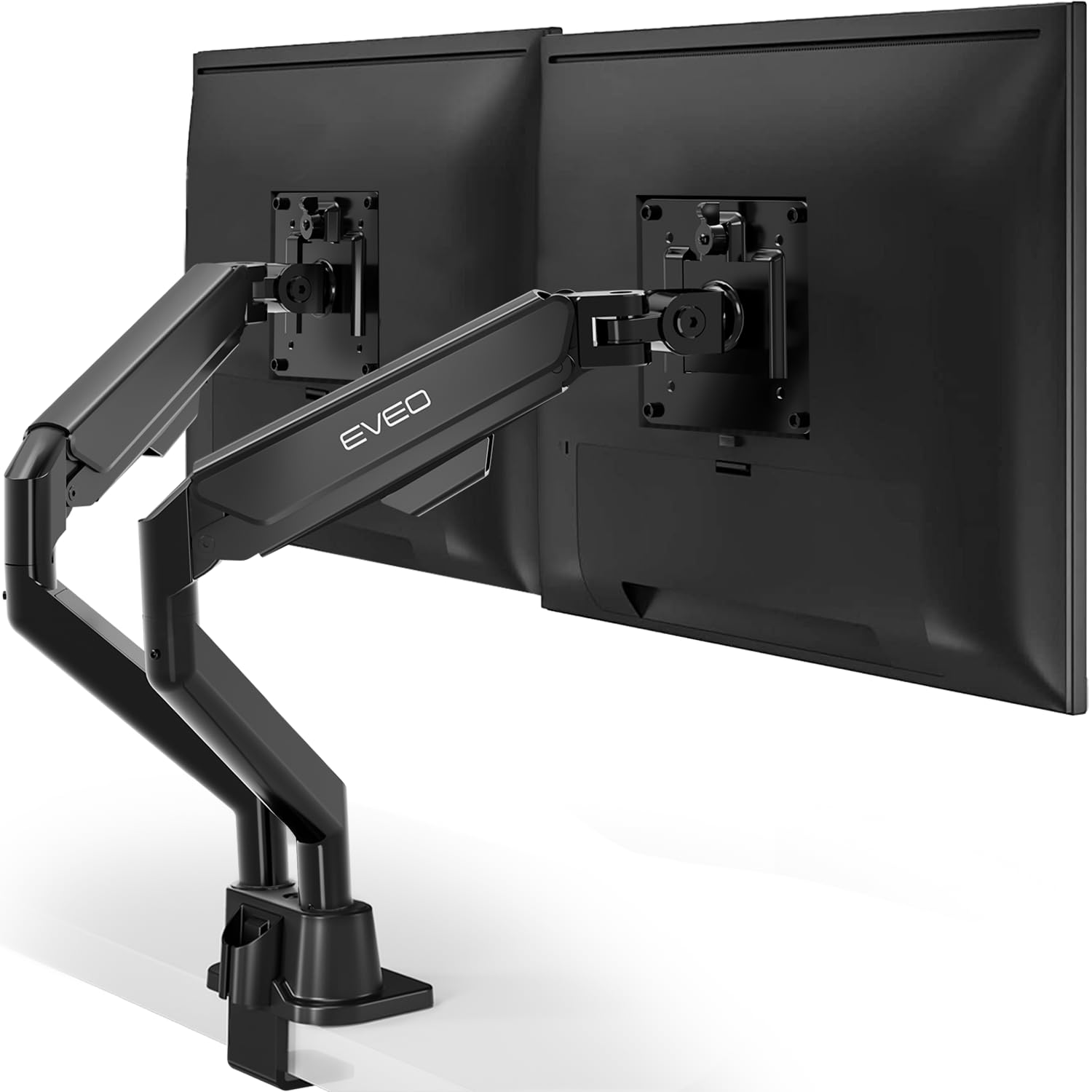
The EVEO is the pick where tilt tension is the whole story. The arms are gas-sprung, the build feels solid, and the mount handles up to 32 inches, but the tilt joint takes more work to set than the rest of the arm. That is not a dealbreaker for a set-and-forget desk; it is an annoyance for anyone who rotates a screen every day.

We noticed the build first: the arms are steel, the base clamp is wide, and it does not look bulky behind two monitors. The VESA brackets are easy enough to attach before hanging, and the cable management runs through the arms. Once the base was tight, it did not move.

The gas springs take the weight of a 27- or 32-inch screen, and the range of motion is good for side-by-side work. The 14- to 32-inch range is one of the widest here, and the two-year warranty is average for the price tier.

For someone who sets the tilt once and leaves it, the EVEO is a solid premium alternative to the HUANUO HNDS7. If you change orientation often, the HNDS7 is the easier arm to live with. The gas spring is easiest to live with if you set the tension at the height you use most, rather than at the top of the travel.

Pros

  • Solid steel build
  • Gas-spring arms for 14- to 32-inch screens
  • Cable management through the arms
  • Two-year warranty

Cons

  • Clamp fits desks up to 1.97 inches
Our verdict

If your monitors stay put, the EVEO is a solid steel gas-spring arm with a 32-inch ceiling and a two-year warranty.

Check Latest Price
8

High-Capacity Budget

WALI GSMP002N Dual Monitor Arm

88 /100
Trail Score Excellent

Key details

Warranty
10 years
Screen Range
13 to 32 inches
Desk Thickness
Up to 2.76 inches
Weight Capacity
22 lbs per arm
Check Price on Amazon

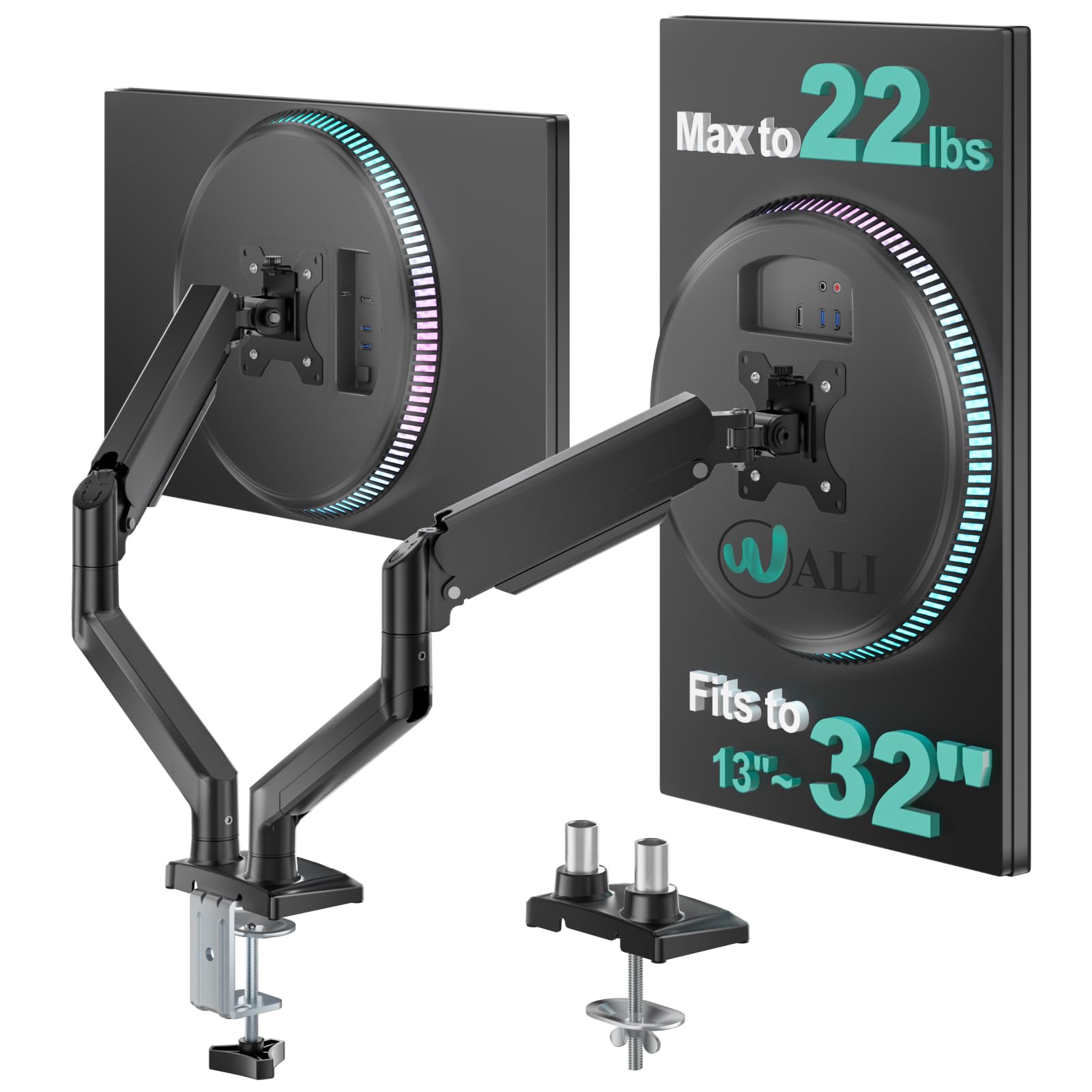
The WALI GSMP002N has the longest warranty here and a 22-pound rating per arm, which makes it a tempting high-capacity budget pick. The arms extend 19.3 inches and raise 17.3 inches above the desk, so they cover a generous work area. The wider VESA head gave us a little more surface to grip when tightening the plate.

We mounted two 27-inch screens and found the base easy to clamp to a normal desk. The arms move independently, and the 10-year warranty is the longest commitment in this set. That warranty is the main reason the WALI stays in the conversation: a moving part with a long guarantee is easier to trust.

Stability is where it gives ground. The tilt head needed retightening after a few days, and the whole assembly had more flex than the HUANUO or VIVO picks. For a standing desk with lighter monitors, the flex is easier to accept; for a heavy 32-inch pair that gets moved all day, it is not the arm we choose.

For a budget pair under 22 pounds that stays mostly still, the WALI is worth considering, especially with the long warranty. The wider VESA head is the detail that made the second install easier: it gave us more room to line up the screws before they bit.

Pros

  • 22 lbs per arm
  • 10-year warranty
  • 19.3-inch extension and 17.3-inch height
  • Budget-friendly high-capacity option

Cons

  • Plastic cable clips can snap
Our verdict

For a mostly static desk, the WALI pairs a 22-pound rating with the longest warranty in this group.

Check Latest Price

How We Tested the Best Dual Monitor Arms

We started with every dual arm we could find from brands we'd used before, then cut the list using the specs that actually decide whether a setup works: per-arm weight capacity against two 27-inch panels, VESA pattern support, clamp versus grommet mounting, and the desktop thickness range — a clamp that maxes out at an inch and a half rules out a lot of thick-top standing desks. That left us with 10 arms and six months to live with them.

Every arm went onto a real desk, not a bench: a shared home office, a height-adjustable standing desk, and a cheap laminate top to see whether the clamp crushed or dented it. We timed each install solo, from opening the box to both monitors mounted, and noted whether the VESA plates could be attached to the screens before lifting them — the difference between a fifteen-minute job and one that needs a second person. Once loaded, we marked the starting height with painter's tape and checked weekly for droop, and we typed hard and knocked the desk edge to watch for shake.

Adjustability got tested the way you'd actually use it: tilting, swiveling, and pushing each screen from sitting to standing height with one hand, then seeing whether it stayed put or drifted over the afternoon. We routed two display cables and a power lead through every cable channel, and compared what each arm cost against the hardware behind it — gas springs or tension knobs, metal or plastic at the joints, and how much re-tightening each one needed by month three.

How to Choose a Dual Monitor Arm

Match Each Arm to Its Monitor

A dual arm carries two separate loads, so check the monitors one at a time. A 32-inch screen can sit inside an arm's screen-size range and still be too heavy, and a pair of 27-inch monitors can differ by several pounds. The HUANUO 13-27 has a 19.8-pound rating per arm; the HNDS7 raises that to 26.4 pounds and a 32-inch ceiling. If either screen is near a limit, choose the higher-rated arm rather than splitting the difference. Confirm VESA 75x75 or 100x100 before ordering.

Choose Shared Pole or Independent Arms

Pole-based dual arms, like the VIVO STAND-V002, hang both screens from one center post. They are usually cheaper and simpler, but the height setting is shared: raise one and the other rises too. Independent articulating arms let each screen sit at its own height and depth, which matters if you mix a laptop with a monitor or use one screen in portrait. Gas and mechanical springs add smooth movement, but they need counterbalancing for the monitor's weight. If you set the pair once and leave it, the pole is the better value.

Measure the Desk and the Space Behind It

Clamp and grommet mounts only work within their stated desk thickness, and the rear clearance matters as much as the clamp. A spring arm can extend backward when you push a monitor away, so a desk against a wall may limit the range. In this group the clamp openings run from 1.97 inches on the EVEO to 3.54 inches on the HUANUO HNDS7. Measure the desktop, the edge overhang, and the gap to the wall. A mount that fits the thickness but not the wall gap will not give you the movement you bought it for.

Set Tilt Tension for the Monitor You Own

Tilt tension is not a one-time factory setting. A joint tight enough for a 15-pound screen can let a 22-pound screen dip, and a joint tight enough for the heavier screen can make a light one hard to move. Mount the monitor, set the height and angle you use most, then tighten the tilt in small steps. Recheck after a day or two; several arms here needed a second pass. If you rotate screens often, favor an arm with easy access to the tension screw, because you will use it more than the spec sheet suggests.

Weigh Convenience and Warranty

Cable routing, USB ports, and warranty length are secondary, but they are the details you live with after the monitors are up. Cable covers keep display and power leads from pulling on the arm; USB ports can remove a hub from the desk. A longer warranty matters on a moving part: the WALI lists 10 years, the HUANUO picks list five, and the Acer lists one. If the arm will be adjusted daily, put more weight on the warranty and less on a cosmetic finish. None of these features makes up for a weak clamp or an overloaded arm.

Frequently Asked Questions

Final Verdict

After testing, the HUANUO 13-27 is the dual arm we recommend to most people. Its dual C-clamp gives it a planted feel, the arms move independently, and the five-year warranty makes it a low-drama purchase for a pair of 24- to 27-inch screens.

If either monitor is 32 inches or heavier, buy the HUANUO HNDS7 instead; its 26.4-pound rating is the margin you want. For a tight budget and screens 30 inches or smaller, the VIVO STAND-V002 remains the simplest way to get both monitors off the desk.