Best CO2 Monitors for Home of 2026

A CO2 monitor does one job: it samples the air, counts carbon dioxide, and translates that number into a ventilation verdict. The trouble is that two units on the same desk can disagree by hundreds of parts per million, and a crisp display is meaningless if the sensor drifts after a few weeks. At any price, what you're really buying is confidence — a reading you trust when the bedroom feels stuffy at 2 a.m. or the home office turns sluggish mid-call.

I became a believer after too many closed-door nights that ended with a dull headache. Over eight months, my team and I lived with 12 monitors on desks, nightstands, kitchen counters, and a living room side table, judging setup, connectivity, battery life, and whether the air-quality history was actually useful. Some paired with my phone in under a minute and stayed connected; others needed re-pairing every few days. The best ones combined a steady sensor with a clear display and an app I didn't have to babysit, and those are the ones below.

1

Best Overall

Aranet4 CO2 Monitor

93 /100
Trail Score Outstanding

Key details

Display
E-ink
CO2 Sensor
NDIR
App History
90 days
Battery Life
Up to 4 years (2 AA)
Check Price on Amazon

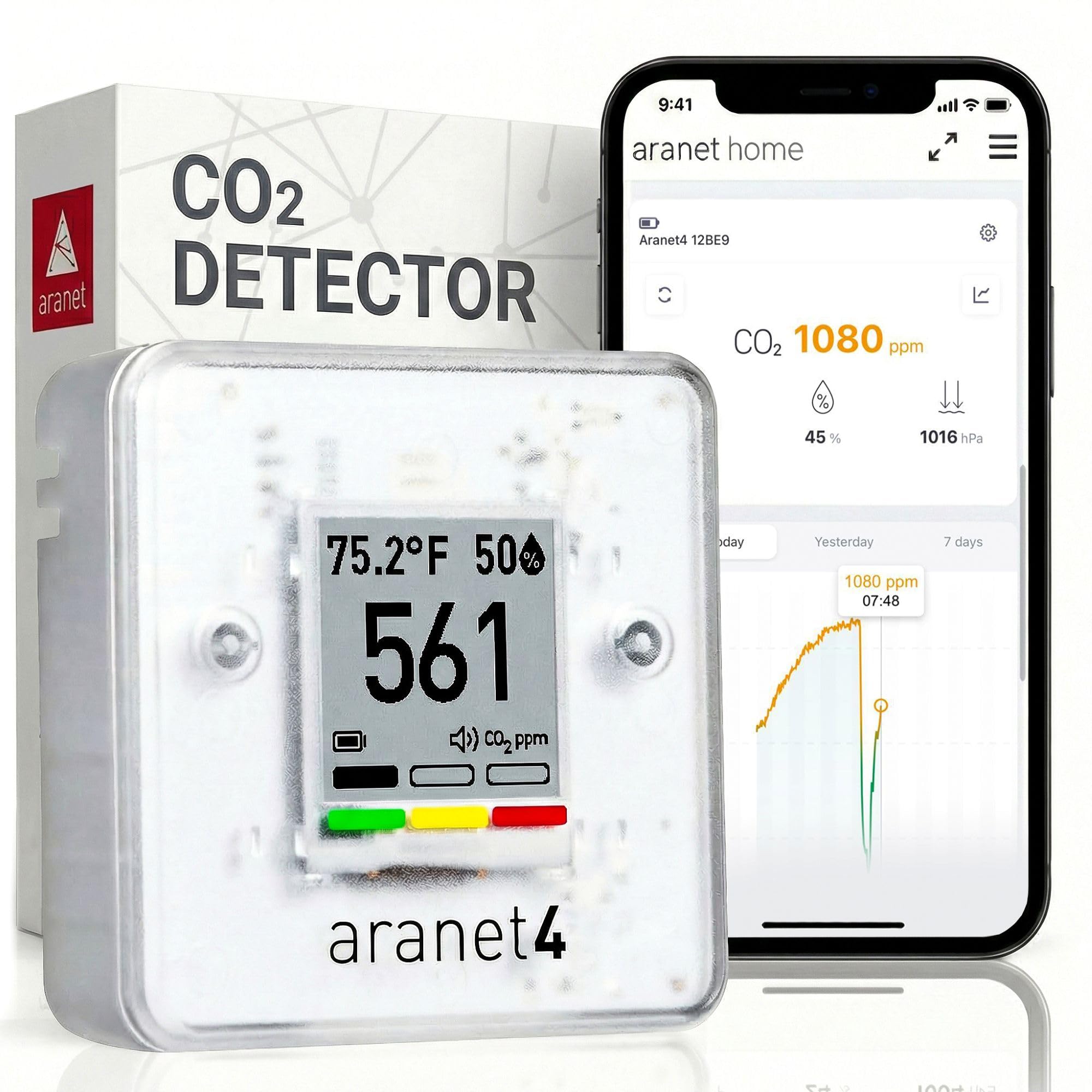
Four years on a pair of AA batteries is the number that decides most of the argument for us. The Aranet4 puts its CO2 reading on an e-ink screen that doesn't need waking, so the number is simply there as you walk past — no charging routine, no app to open before you can see it, no excuse to put it in a drawer. On a nightstand, on a shelf in the office, or in a bag for a week away, it's the monitor we reach for first.

Behind the screen is a nondispersive infrared sensor, the technology every credible monitor here uses, and this is the reading we've stopped second-guessing. Temperature, humidity, and barometric pressure come along with it, and the display shifts color as CO2 climbs, so a glance tells you a room needs air before you've read the digits.

The app adds a 90-day record over Bluetooth, which is how you spot the shape of a night in a closed bedroom or a meeting room going stale by mid-afternoon. Data moves to the phone when you're in the room with the device, so sync it while you're standing there rather than from the office.

What you're paying for is measurement quality and longevity rather than features: it's a sensor, a screen, and an app, with none of the extras that make other monitors demand attention. If all you need is to know whether a bedroom wants a window open, a cheaper monitor gets you there. The Aranet4 buys you years of not thinking about it.

Pros

  • Accurate NDIR readings we stopped doubting
  • Up to four years on two AA batteries
  • E-ink screen readable across a room
  • 90 days of history in the app

Cons

  • Most expensive monitor in this group
  • Bluetooth pairing takes a few tries
Our verdict

Our pick for anyone leaving a monitor in place for months: accurate readings, a glanceable e-ink screen, and four years on two AA batteries.

Check Latest Price
2

Best Budget

Temtop C1 CO2 Monitor

87 /100
Trail Score Excellent

Key details

Accuracy
±40 ppm + 5% of reading
CO2 Range
400–5,000 ppm
Battery Life
70 days standby
Also Measures
Temperature, humidity
Check Price on Amazon

Cheapest in this group, and it still puts a real NDIR sensor and a ppm readout on your shelf. That makes it the easiest way to find out whether the room you sleep in is actually ventilated: big digits on a plain LCD, a body slim enough for a nightstand or a wall, and temperature and humidity alongside the CO2.

For a first monitor, that's enough. It reads from 400 to 5,000 ppm with a stated accuracy of ±40 ppm plus 5 percent, and over a week it shows you the pattern that matters — the bedroom climbing after the door closes, the kitchen settling once a window opens. We take the exact figure with a grain of salt, since readings can drift from a reference meter; the trend is the message.

Seventy days of standby on a charge means you can mount it high on a wall and forget the cable, and both the alert tone and the display illumination can be switched off for a bedroom. It also reports temperature and humidity, which in practice we check more often than the CO2 number.

Pros

  • Real NDIR sensor at the lowest price here
  • Up to 70 days of standby on a charge
  • Big digits on a slim, mountable body
  • Temperature and humidity alongside CO2

Cons

  • No backlight for dark rooms
Our verdict

The cheapest way to find out whether your bedroom is ventilated; expect a trustworthy trend rather than a lab-grade absolute number.

Check Latest Price
3

Best Plug-In

U UNNI UN0601S CO2 Monitor

86 /100
Trail Score Excellent

Key details

Power
USB powered, AAA backup
Sensor
Sensirion photoacoustic
Weight
5.29 oz
Display
3 backlight levels
Check Price on Amazon

Most inexpensive monitors ask you to remember a charging cable. This one asks for an outlet instead, and rewards you: plugged in, the backlight stays on permanently, so the CO2 number is legible from the sofa without touching anything. That single decision is why it's the monitor that has stayed on our counter rather than going back in its box.

The sensor is a Sensirion photoacoustic unit, and the screen carries temperature, humidity, and a running CO2 chart as well as the current reading. The chart is the part we use: it shows the shape of an afternoon rather than a single number, flat while the windows are open and climbing once they close. Three brightness levels and three alert volumes let it be a discreet clock or a loud reminder, depending on the room.

Three AAA batteries keep it running through a power cut or a move to another room, though they aren't included and they're strictly a backup. At 150 grams it lifts off the shelf with one hand, and the case is small enough for a windowsill without looking like lab equipment. For a room where you want the reading visible at all times, it's a lot of monitor for the money.

Pros

  • Stay-lit display readable from across the room
  • On-screen CO2 history chart
  • Adjustable brightness and alarm volume
  • Battery backup for power cuts and room changes

Cons

  • Backup batteries are not included
Our verdict

Plug-in, always lit, and easy to live with: our choice for a kitchen counter or living room where the number should be visible without thinking.

Check Latest Price
4

Best Display

SwitchBot Meter Pro CO2

84 /100
Trail Score Excellent

Key details

Display
92 mm
Accuracy
±1.8% RH, ±0.2 °C/0.36 °F, ±(50 ppm + 5% of reading)
CO2 Range
400–9,000 ppm
Battery Life
Up to 12 months
Check Price on Amazon

Ninety-two millimeters of screen sounds like a footnote until you've tried reading a CO2 number from a sofa. The SwitchBot's display is big enough that the ppm figure carries across a room, and at 154 grams with a wall mount on the back it can hang at eye level instead of squatting on a shelf.

Inside is a Swiss-made NDIR sensor with a 400 to 9,000 ppm range — the widest here, which matters if you want to watch a small closed room climb toward the top of the scale rather than peg. Battery life is quoted at up to 12 months, and on battery the unit checks every five minutes at best; a refresh button in the app forces a fresh reading.

We noticed that interval more than we expected. Five minutes is fine for a bedroom, where nothing changes quickly, and less fine when you're testing whether shutting a door between two rooms actually does anything. Pressing refresh is a small annoyance rather than a fault, and it's the price of not running a cable up a wall.

Alerts come three ways — sound, screen, and app — so you can set a threshold and let it nag. The one thing to know before committing is that wider smart-home integration runs through SwitchBot's own bridge rather than a direct connection, which is worth checking against whatever hub you already own.

Pros

  • Large screen readable across a room
  • Widest CO2 range in this group
  • Up to 12 months on a battery
  • Sound, screen, and app alert options

Cons

  • Hard to read in an unlit room
Our verdict

A big, wall-mountable monitor for a living room or hallway where you want the CO2 number visible from a distance, not squinted at.

Check Latest Price
5

Best for App Tracking

GoveeLife H5140 Air Quality Monitor

85 /100
Trail Score Excellent

Key details

Power
Corded, no battery
Sensor
SCD4x photoacoustic NDIR
App History
2 years
CO2 Accuracy
±(40 ppm + 5%)
Check Price on Amazon

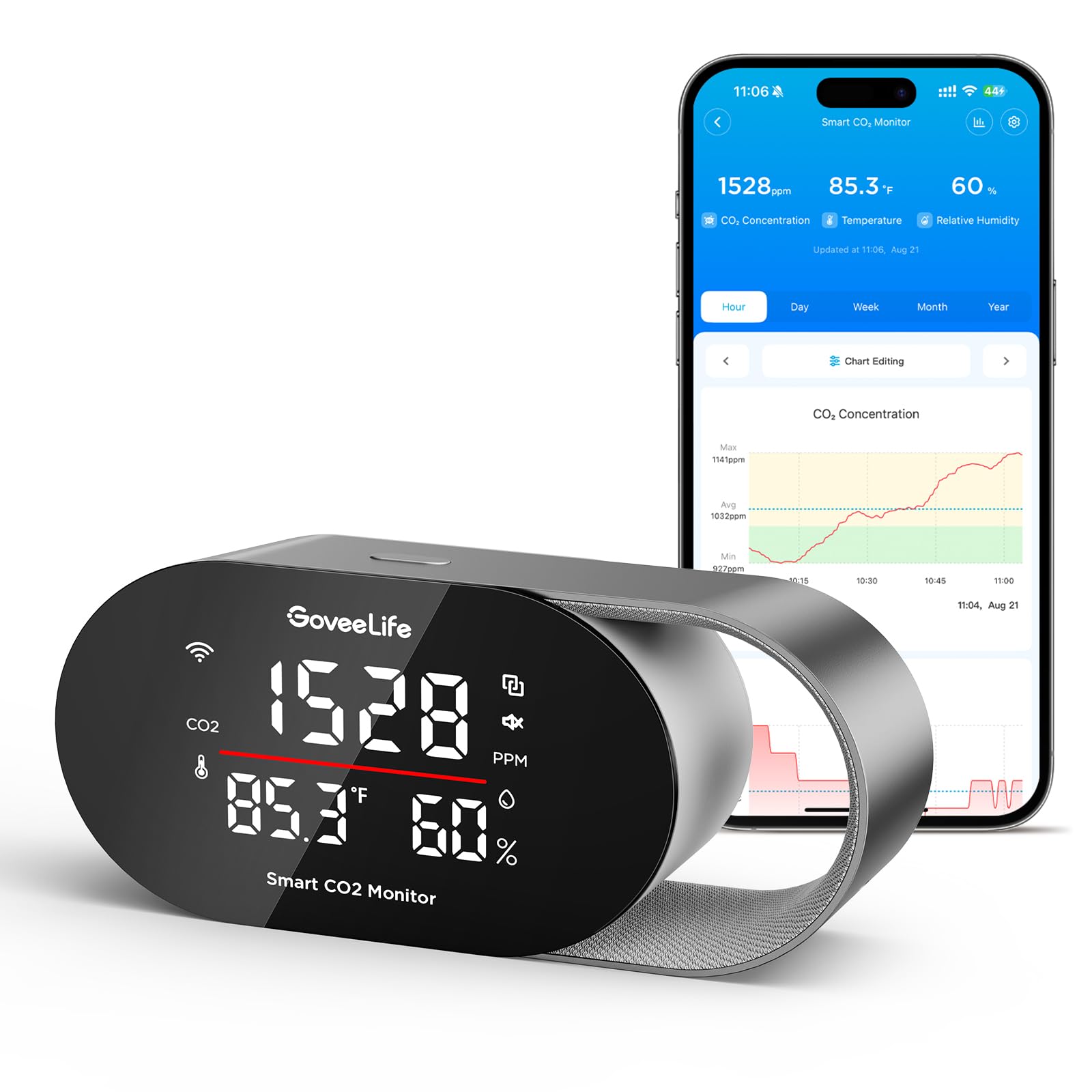
The screen on the H5140 can be told what to do: brightness drops on a schedule you set, and a tri-color light bar slides from green through amber to red as CO2 climbs. That matters more than it sounds, because a bright display is usually the reason a monitor ends up facing the wall at night. The 4.82-inch panel carries CO2, temperature, humidity, and a clock.

What we appreciate most is the record. Readings go over Wi-Fi into the Govee app, which holds two years of history and exports it as a CSV — the difference between a device that tells you the air is stale now and one that can show a pattern across a whole winter. The sensor is a photoacoustic NDIR unit rated at ±40 ppm plus 5 percent, refreshed every five seconds with pressure compensation, so the number doesn't wander with the weather.

The catch is power: no battery, so it lives within reach of an outlet. We think that's the right trade for a monitor whose job is to sit still and log — a nursery, a kitchen, a home office — and wrong for anyone who wants to check three rooms in an afternoon. Buzzer, screen, and app alerts all fire on CO2, temperature, or humidity thresholds you set yourself.

Pros

  • Two years of history with CSV export
  • Customizable display and night brightness schedule
  • Five-second refresh with pressure compensation
  • Buzzer and app alerts at your thresholds

Cons

  • Corded only, with no battery
Our verdict

Our pick if you want a permanent, app-connected record of one room's air rather than a monitor you carry from place to place.

Check Latest Price
6

Best for Other Pollutants

BREATHE Airmonitor Plus Gen 2

79 /100
Trail Score Very Good

Key details

History
90 days
Sensors
CO2, PM1, PM2.5, PM10, TVOC, HCHO, temp, humidity
Battery Life
Up to 6 hours
Connectivity
2.4 GHz Wi-Fi
Check Price on Amazon

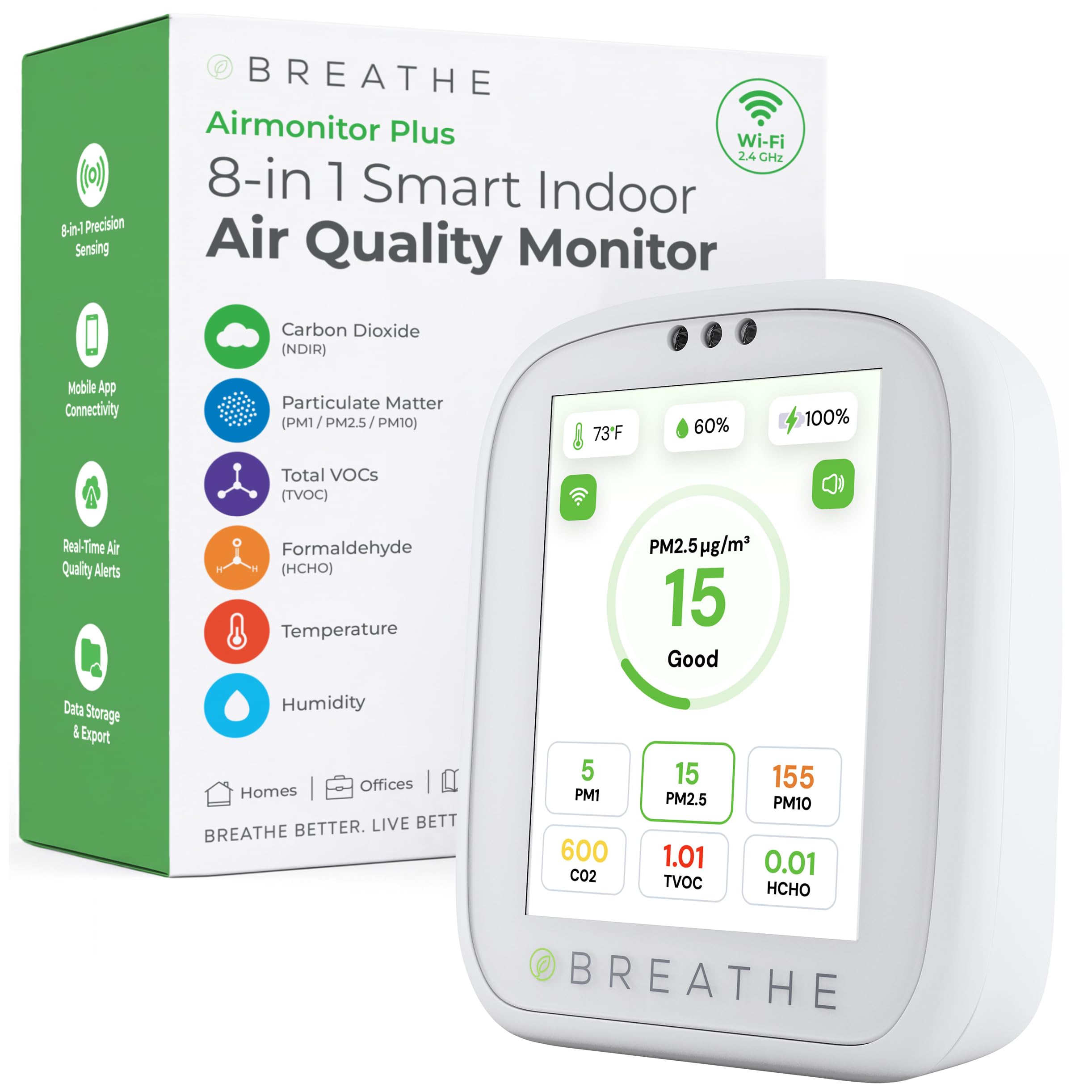
CO2 is only one of eight things this monitor tracks. Alongside carbon dioxide it reads PM1, PM2.5, and PM10 particles, total VOCs, and formaldehyde, plus temperature and humidity, and shows them together on a screen about the size of a deck of cards.

Those extra sensors earn their keep on cooking nights. Searing something sends particles up while CO2 barely moves, and that tells you the extractor fan is the thing to fix rather than the window — a distinction the CO2-only monitors here can't make, and the reason this one stays in our kitchen.

Setup is quick, and the app is where the detail lives: 90 days of history with CSV export, alerts on both CO2 and PM2.5 thresholds, and readings you can pull up from another room over 2.4 GHz Wi-Fi. It's small and light enough at four ounces to move between rooms, which is how we've used it most.

The numbers we lean on are CO2 and particles. Temperature and humidity are the least settled of the eight and worth checking against a second thermometer before you trust them. Buy it for the breadth of what it measures in one place, and for alerts that fire on particles as well as carbon dioxide.

Pros

  • CO2 plus PM2.5, PM10, VOCs, and formaldehyde
  • 90 days of history with CSV export
  • Alerts on both CO2 and PM2.5
  • Small and light enough to move rooms

Cons

  • Battery lasts hours, not a full day
  • Small screen with small type
Our verdict

For a kitchen or workshop where you want to see particles and VOCs as well as CO2, this is the one; plug it in and leave it.

Check Latest Price
7

Overnight Records

Inkbird IAM-T2 CO2 Monitor

77 /100
Trail Score Very Good

Key details

Sensor
NDIR
Battery
3,000 mAh
Connectivity
Bluetooth 5.0
Data Storage
30 days offline
Check Price on Amazon

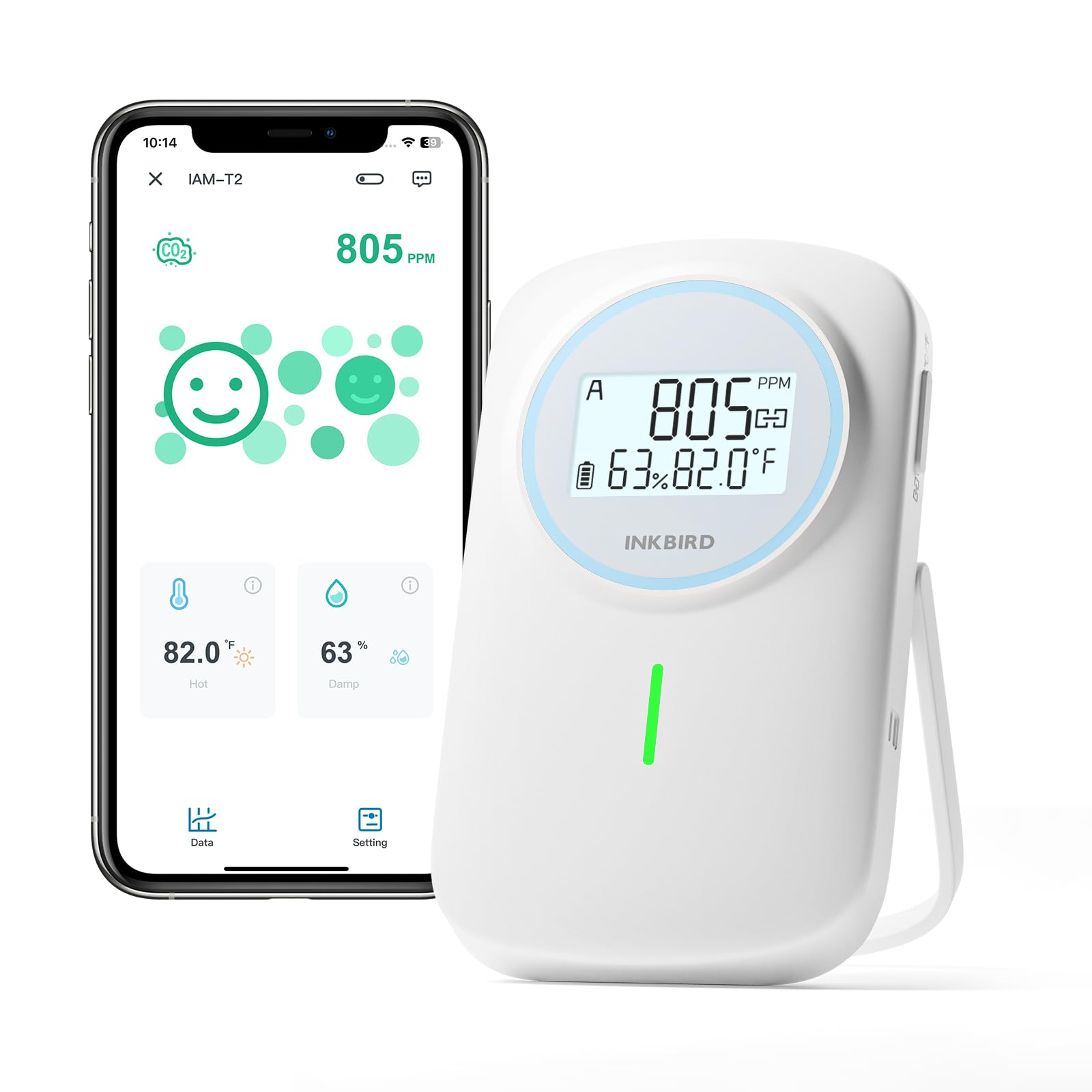
Thirty days of readings are stored on the device itself, and a year's worth sits in the app — the longest local record in this group. That matters if you'd rather compare a week of nights than glance at a single number before bed. The IAM-T2 tracks CO2, temperature, and humidity, and the backlit LCD pairs the digits with a green-amber-red status indicator.

Bluetooth 5.0 is quoted at up to 100 meters unobstructed, so the phone can stay on the couch while the meter sits in the nursery, and the 3,000 mAh battery takes about six hours to charge. Sound and light alarms can be set to your own thresholds, which makes it a nudge rather than a passive display.

What we like is that it asks nothing of you: set the thresholds once and the record accumulates whether or not you look at it. The case is plain and the screen is utilitarian — a working instrument rather than a design piece — and at 6.4 ounces it slips onto a shelf without argument. Point it at a bedroom for a month and you'll know what to change.

Pros

  • 30 days of on-device data, a year in the app
  • Backlit LCD with color-coded status
  • Bluetooth 5.0 with long quoted range
  • Threshold alarms for sound and light

Cons

  • Charges only from the included USB-A cable
Our verdict

A plain, capable logger for someone who wants a month of readings and a backlit screen that works in a dark bedroom.

Check Latest Price
8

Radon and CO2

Airthings View Plus

81 /100
Trail Score Excellent

Key details

Sensors
Radon, PM2.5, CO2, VOC, temp, humidity, pressure
Dimensions
4 x 4 x 2 in
Battery Life
Up to 2 years (6 AA)
Connectivity
Wi-Fi
Check Price on Amazon

The reason to buy this one has almost nothing to do with CO2. The View Plus is a radon monitor that also tracks CO2, PM2.5, VOCs, temperature, humidity, and pressure — and if radon is a live question in your house, having a continuous radon figure beside your ventilation data is a different product from everything else here.

It's a four-inch square, two inches deep, and it runs for up to two years on six AA batteries with no cable, so a basement shelf is a perfectly good home for it. Readings, trends, and notifications all live in the app, which is also where you register the warranty — worth doing inside the first month, because it extends to five years.

The CO2 side is where the value gets thin. If ventilation is your question, a monitor costing a fraction as much answers it with a bigger, brighter number and batteries you won't touch for years. Here the figures sit behind an app, and the app's connection is the weak link: Wi-Fi dropouts and pairing trouble are the recurring frustration, and they matter more on a device that depends on the app for its readings.

So we rate it as a radon instrument with CO2 attached rather than the other way round. If a radon test was on your list anyway, the extra sensors come along for free and a two-year battery means it can sit in a basement unattended. If you simply want to know when to open a window, this is the wrong way to spend the money.

Pros

  • Continuous radon alongside CO2 and PM2.5
  • Two years on six AA batteries
  • Five-year warranty with registration
  • No cable; sits unnoticed in a basement

Cons

  • Relies on the app for readings and alerts
  • Poor value if radon isn't your question
Our verdict

Buy it if radon is the question and CO2 is the bonus; as a ventilation monitor alone it costs far more than it gives back.

Check Latest Price

How We Tested 12 CO2 Monitors Over Eight Months

We began with a shortlist of roughly 30 models, then narrowed to 12 by checking sensor type, calibration instructions, display readability, app support, and price. Every unit that made the cut used an optical, or NDIR, sensor — the same technology used in reference instruments — rather than a cheaper chip that estimates air quality from mixed gases. We ruled out anything that required a subscription to see live readings or that buried basic setup behind a paywall.

Each monitor spent at least two weeks in my home office during workdays, two nights on a bedroom nightstand, a weekend in the living room with four people over, and a week in the kitchen while I cooked. I ran them side by side against a calibrated reference monitor, logging how quickly they caught a spike after a door closed and whether readings settled back down or drifted. A few units lagged behind by several minutes; one kept flashing a warning long after the room had cleared.

I timed setup from unboxing to a stable reading, noting whether pairing with the app took one attempt or five and whether the instructions assumed prior knowledge. Over the eight months, I tracked Wi-Fi and Bluetooth dropouts, battery changes, and how readable the display was from eight feet away in daylight and dim light. I also paid attention to build quality — whether the stand wobbled, buttons responded cleanly, and the case survived a few knocks. At the end, I weighed what each monitor cost against the features I actually used; the winners were rarely the ones with the most buttons.

How to Choose a Co2 Monitor for the Home

Start With the Sensor, Not the Feature List

Carbon dioxide is measured with an infrared sensor, and confirming one is inside is the first thing to check: an NDIR sensor is what separates a CO2 monitor from a gadget that infers air quality from a mix of other readings. The monitors here state accuracy around ±40 to ±50 ppm plus a few percent of the reading, which is far more precision than a home needs.

What you're actually buying is a trend — a number that climbs when a door closes and falls when it opens. A stable, inexpensive sensor beats a feature-stuffed meter that drifts, so when two listings look alike, pick the one whose sensor type and accuracy you can actually find stated.

Decide Whether It Lives on a Cable or in a Bag

Where the monitor sits decides the power source, and the power source shapes the display. A unit that never moves can be plugged in and can afford a bright backlit screen that reads at two in the morning. A unit that travels between rooms needs a battery, and that usually means an e-ink or dimmable panel trading brightness for months of running.

Choose the room first, then the power. A monitor that's awkward to place is one you stop looking at, and an unread number is worth nothing at all.

Work Out What the App Is Actually For

Almost every monitor here can send readings to a phone; the differences are in what happens next. A live number is a convenience, a 90-day chart is a diagnostic, and a CSV export is evidence you can hand to someone else. History is the feature worth paying for when you're trying to prove something changed — after a new fan, say, or a sealed window.

The trap is buying a monitor whose only readout is an app. When the connection drops, so does everything you bought it for, which is why we favor units that show ppm on the device itself.

Be Honest About the Extra Sensors

Temperature and humidity come on nearly every monitor here at no extra cost, so take them. Particles, VOCs, and formaldehyde — the BREATHE's specialty — are cooking-and-cleaning sensors: useful if smoke and fumes are what worries you, beside the point if ventilation is the goal.

Radon, which is what the Airthings adds, is its own testing project with its own logic and an expensive thing to bundle into a CO2 purchase. Buy the meter that answers the question you already have; paying for four sensors you never read is the most common way to overspend in this category.

Frequently Asked Questions

Final Verdict

The Aranet4 is the monitor we point most people to, and the reason is unglamorous: it measures well, shows the number without being asked, and runs for years on two AA batteries, so it stays where you put it. If the budget is tighter, the Temtop tells you nearly as much about ventilation for a fraction of the cost, and the U UNNI is the better answer for a room where you want a display that is always lit.

For anyone whose real question is radon, the Airthings is the only one here that answers it, and it should be bought for that and nothing else.